 Written by
Marketing design automation takes the repetitive production out of campaign work: the resizing, the language versions, the Photoshop back-and-forth and the print prep that eat a designer’s week. Marketing teams feel this more than product teams, because one idea fans out into dozens of formats, several markets and both screen and paper. This guide walks through five real scenarios, from one key visual into a full campaign kit to print-ready files, and shows where Photoshop, Canva, prepress tools and AI agents each fit, with Doop as the place they meet.
Where marketing teams lose time
Ask a marketing designer where the week went, and the answers rarely involve ideas. Instead, the time goes into five kinds of follow-up work:
- The resize grind. One approved visual needs a square post, a story, a landscape ad, an email header, a web banner, a poster and a flyer.
- Local versions. Each market needs its language, its prices and sometimes its own legal line.
- Retouch loops. Files travel between the layout tool and Photoshop, and every round trip loses a layer or a font.
- Print prep. Trim, bleed, colour space and resolution have to be right, or the printer calls back.
- Ad refreshes. Performance teams want new variants every week, based on what worked last week.
Each scenario below automates one of these, and each keeps the creative decisions with people.
Scenario 1: One key visual, a whole campaign kit
Morgen, a coffee subscription, launches a spring blend. The creative director approves the key visual on a Doop canvas: a pour-over shot, a short headline and the offer. That approval is the trigger.
Doop’s design automation includes ready-made examples for exactly this moment. “Make different sizes” adapts an approved design into 1080×1080, 1080×1920 and 1200×628 drafts. “Create companion assets” turns the same direction into a social banner, an email header and a website hero. Both run when someone marks a frame approved, and both put their drafts next to the original instead of overwriting it.
The difference from a template is judgment. A template squeezes the same layout into every box. By contrast, the Doop agent re-composes each format. In a story, it can move the product up to clear the app’s interface. In a banner, it can shorten the headline line breaks and keep the logo inside the safe zone. Because it follows the canvas’s tokens and style guides, every draft uses the same colours, fonts and logo files. Finally, one Slack message tells the campaign channel that the drafts are ready, with links to each frame.
Scenario 2: Photoshop round trips without the file shuffle
Photoshop is still where pixels get perfect: skin retouching, product cut-outs and compositing. Layout, however, increasingly happens somewhere else, and the handover between the two is where layers and live text get lost.
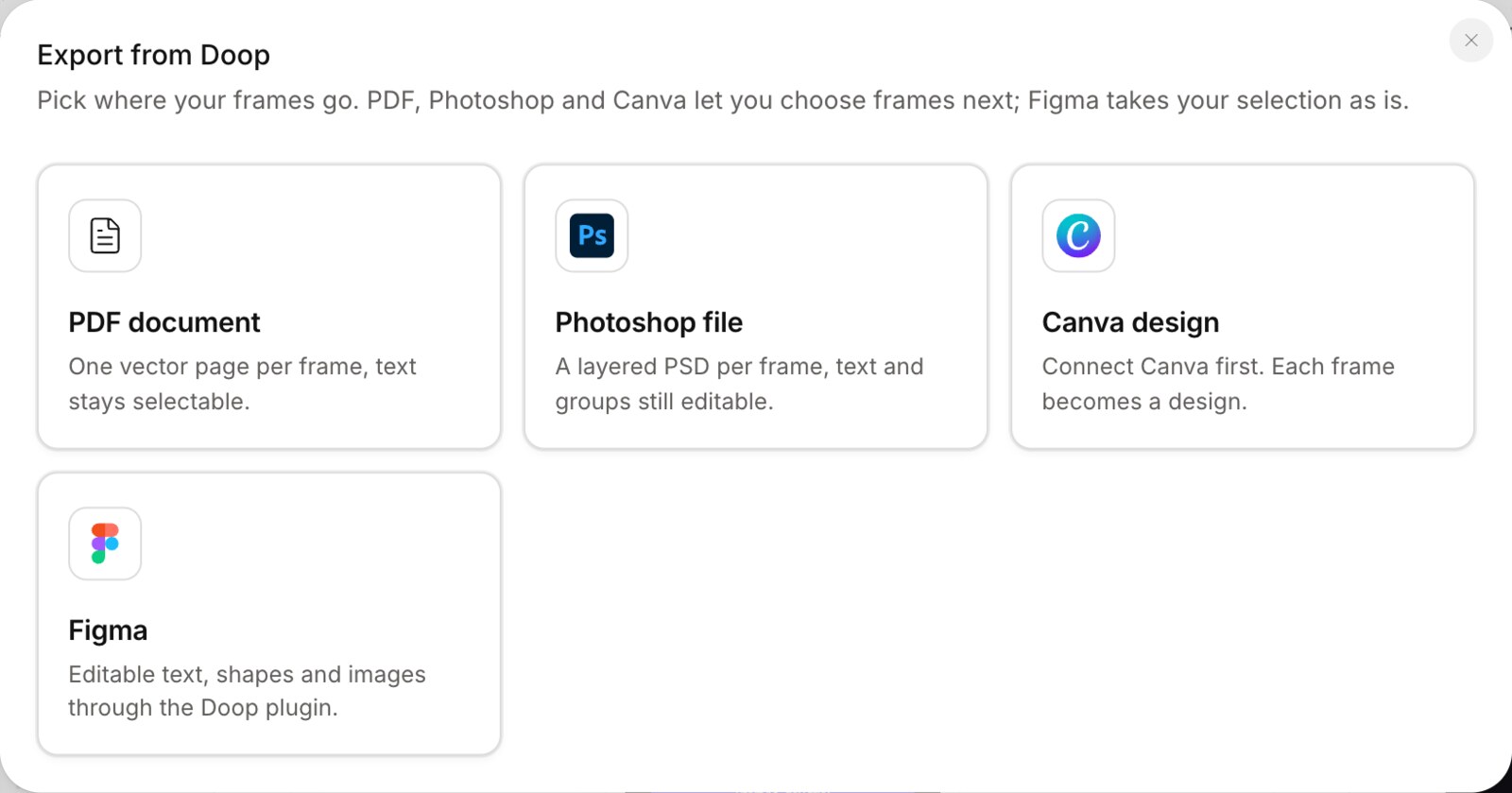
Doop imports PSD files with their layers, live text, groups, opacity, blend modes and masks, and each artboard becomes its own frame. In the other direction, it exports a layered PSD per frame: containers become groups, text stays editable, and every painted element becomes its own layer. A retoucher can therefore pick up exactly where the canvas left off, and send the result back the same way. PSD and Canva import and export are part of Doop Cloud.
Photoshop has its own automation too, and it is worth using for pixel jobs. Actions replay recorded steps, Variables and data sets swap text and images from a spreadsheet, and the Photoshop API in Adobe Firefly Services runs edits like background removal in the cloud. A practical split looks like this:
- The Photoshop API cuts out 40 product shots overnight.
- The Doop agent places them into the approved catalogue layout and adapts each page.
- A retoucher opens the exported PSDs for the five hero pages only.
Our Photoshop MCP guide compares every way to connect an agent to Photoshop and layered PSDs.
Scenario 3: Local markets and languages
Morgen sells in Germany, France and Spain. The “Localize approved designs” automation translates approved frames into German, French and Spanish and adapts their layouts, because German headlines run long and need a new line break. The drafts land next to the originals, so a native speaker in each market reviews and approves their own version.
Many regional teams work in Canva, not in a design tool. For them, Doop exports any frame as a new Canva design with live text boxes over the rendered background. The local team edits the price or the store address in Canva, while the layout, imagery and brand stay as approved. If Canva is part of your stack, our Canva MCP guide covers the agent side.
Scenario 4: Print files without surprises
Print is where marketing design automation needs the most care, because mistakes cost paper. Here is a workflow that respects how prepress actually works.
Size the frame to the trim plus bleed. A Doop PDF page is exactly the frame’s size, at 96 pixels per inch. To convert, divide millimetres by 25.4 and multiply by 96. An A5 flyer (148×210 mm) with 3 mm bleed on every side is therefore 154×216 mm, or a 582×816 px frame. An A2 poster without bleed is 1587×2245 px. Our design handoff process guide has the full printer checklist.
Use print-resolution images. The PDF is vector, and text stays selectable. Placed photos, however, keep the resolution you give them, so use sources with about 300 ppi at their printed size.
Let prepress do prepress. Doop exports RGB PDFs without crop marks. That is fine, because colour conversion and marks belong to tools built for them. Run the PDF through Acrobat Preflight or Enfocus PitStop with your printer’s profile. These tools convert to CMYK, check fonts and resolution, add marks, and produce PDF/X. Larger teams put this behind a hot folder in Enfocus Switch, so every approved PDF is preflighted without anyone opening it.
Approve the proof, not the draft. The brand manager signs off on the preflighted proof. Our design approval workflow guide explains how to route that sign-off without spamming the team.
Scenario 5: The weekly ad refresh
Performance marketing runs on a weekly rhythm. Every Monday, a Doop automation pulls the active Meta ads onto a canvas with last week’s numbers, and gives each one a verdict: scale, refresh or watch. An agent step then drafts variants for the winners and fresh creatives for the tired ads, with the copy split into headline, body and call to action so it goes straight into Ads Manager. We walk through that setup in automate Meta Ads with a Claude agent.
Marketing design automation tools compared
| Tool | Best for | Where it stops |
|---|---|---|
| Canva Bulk Create | Many variants of one template from a spreadsheet | Layouts do not adapt to long text or new formats |
| Photoshop Actions and Variables | Repeatable pixel edits and data-driven graphics | Desktop-bound, brittle when layouts change |
| Adobe Photoshop API | Cloud batch edits at scale | Developer integration, no layout judgment |
| InDesign Data Merge | Catalogues, name badges, price lists | Fixed templates, desktop workflow |
| CHILI GraFx | Web-to-print and brand templates at enterprise scale | Enterprise setup and pricing |
| Bannerbear | API-rendered images from templates | Template-bound, no review or approval |
| Doop | Agents adapting approved designs, with brand rules and sign-off | Final CMYK prepress happens in preflight tools |
Template tools are fast when every variant looks the same. Doop is the better fit when variants need judgment, when several people and agents work on them at once, and when approval has to stay attached to the exact version. If you are weighing template rendering specifically, see our Bannerbear alternative post.
Start small
Pick the scenario that costs your team the most hours, and automate only that one first. For most marketing teams, that is the resize grind. Write the brand rules down with exact values (our brand compliance checks guide shows how), name one approver, and connect one agent. After two weeks, add the next scenario. For the bigger picture, read our design automation guide, and for agent setups, design automation with Claude Code and Codex.
Frequently asked questions
What is marketing design automation?
It is the use of templates, scripts and AI agents to produce and check campaign assets: sizes, language versions, print files and ad variants. People keep the creative direction and the final approval.
Can AI resize designs for every social format?
Yes. In Doop, an approval-triggered automation adapts an approved design into square, portrait and landscape drafts, re-composing each layout rather than scaling it.
Can Doop make print-ready files?
Doop exports vector PDFs at the exact frame size, so you can design to trim plus bleed. Run the PDF through a preflight tool for CMYK conversion, marks and PDF/X before it goes to the printer.
Does Doop work with Photoshop files?
Yes. Doop imports layered PSDs with text, groups, blend modes and masks, and exports layered PSDs with editable text, so files move between the canvas and Photoshop without flattening.