 Written by
Design automation is software doing the repeatable parts of design work. It makes every size and language of a design, checks it against brand rules, routes it to the person who signs off, and hands it to whoever builds, prints or publishes it. The ideas stay human, but the production line around them no longer has to be. This guide covers what design automation means for creative and marketing teams, which jobs to automate first, which tools handle each stage, and where AI agents like Claude Code and Codex finally make the whole loop work.
What design automation means (and what it does not)
Search for the term and you will find two worlds. In chip and engineering design, it means electronic design automation and CAD scripting, such as Autodesk’s Design Automation API for running AutoCAD and Revit jobs in the cloud. This guide is about the other world: brand, marketing and product teams who produce visuals, layouts and screens.
For those teams, design automation covers the work around a design rather than the idea itself. For example, a designer decides that the spring campaign uses a bold green headline over a field photo. Automation then takes that approved direction and does the follow-up: twelve sizes, three languages, a check against the brand book, a sign-off request, and exports for the printer and the ad platform. Each of those steps used to be a person with a checklist. Today, most of them can be a rule, a script or an agent.
The five jobs design automation takes over
Almost every design team runs the same five jobs after the creative idea exists. However, teams differ in volume, not in kind.
1. Production: sizes, languages and variants
One approved key visual becomes a square post, a story, a landscape ad, an email header, a web hero, a poster and a flyer. After that, it becomes the German, French and Spanish versions of all of those. This is the classic grind, so it is where most teams start. Templates and data merge handled it for years, as long as every headline had the same length. AI agents now handle the cases that break templates, such as a long German headline that needs a new line break, or a portrait format that needs the product moved up.
2. Checks: brand rules and accessibility
Before anyone sees a draft, someone checks it first. Is the colour from the palette? Is the logo the current file, with its clear space? Does the text pass contrast? Is the legal line there? Developers call this linting, and print shops call it preflight. For design, it splits into rules a machine can test exactly and rules that need judgment. Our guide to automated brand compliance checks covers both kinds.
3. Approval: who signs off, on which version
Approval sounds simple until a design changes after someone approved it. Good approval automation records who approved what, and it resets that approval when the design moves. In addition, it sends the request to the one person who decides, not to a channel of forty. The design approval workflow guide shows how to set this up in Slack and Microsoft Teams.
4. Handoff: to developers, printers and ad platforms
A finished design always goes somewhere: a codebase, a print shop, an ad account or a regional team. Each receiver needs a different package. For example, developers need tokens, states and only the approved screens. A printer needs a PDF at the trim size with bleed. An ad team needs every size, plus the copy as text. Our design handoff process checklist lists what each one needs.
5. Notification: telling the right person, once
The last job is the most underrated. Automation that pings everyone about everything gets muted within a week. Instead, good notification design means one message per decision, sent to the decider, with a link to the exact frame. Everyone else gets a digest or nothing at all.
What to automate and what to keep human
Not every step should be automated. A useful test: automate the steps where the right answer is knowable, and keep people on the steps where the answer is a choice.
| Step | Automate? | Why |
|---|---|---|
| Resizing an approved design | Yes | The direction is decided, so the layout follows rules. |
| Translating and re-flowing copy | Yes, with review | Agents translate well, but a native speaker should read the headline. |
| Checking palette, fonts and logo files | Yes | These rules are exact, and a machine beats tired eyes. |
| Checking tone and imagery | Partly | An agent can flag issues, but a person decides what is on brand. |
| Approving a design | No | Sign-off is accountability, so it stays with a named person. |
| Exporting and packaging files | Yes | Formats and sizes are fixed per receiver. |
| Notifying people | Yes | Routing rules decide who hears what, so nobody has to remember. |
Design automation tools by stage
Most tools on the market own one stage. Here is the landscape as of late 2026, grouped by the job each tool does best.
| Stage | Tools | What they automate |
|---|---|---|
| Production | Canva Bulk Create, Adobe Photoshop API, InDesign Data Merge, CHILI GraFx, Bannerbear | Variants from templates and data, batch edits, rendering |
| Checks | Figma Check designs, Design Lint, Stark, Adobe GenStudio, Enfocus PitStop | Style linting, accessibility, brand validation, print preflight |
| Approval | Ziflow, Filestage, Frame.io, Microsoft Teams Approvals | Proofing, review rounds, sign-off records |
| Handoff | Figma Dev Mode, Zeplin, Storybook | Specs, assets and component docs for developers |
| Glue | Zapier, n8n, Power Automate, Executor, treg | Moving events between tools, giving agents access to APIs |
Each of these is good at its stage. Still, the problem sits between the stages. A Figma file gets exported to a proofing tool, the approved PDF gets emailed to a printer, and the Slack thread about it lives somewhere else again. Every hop is a copy, and every copy can drift from the version someone approved.
Why AI agents change design automation
Classic design automation is templates plus rules. It is fast and predictable, but it is also brittle. A data merge does not know that a long headline should push the image down. Likewise, a Photoshop action does not know that the logo now overlaps a face. As a result, teams kept a designer on call to fix whatever the template broke.
AI agents close that gap. Claude Code, Codex and similar agents can read a layout, decide how it should adapt, and change it. However, an agent on its own is risky in a brand context. It needs four things that a chat window does not give it:
- Access to the design itself, as something it can read and edit, not a screenshot.
- Rules to follow: tokens, components and a written brand guide.
- Approval state, so it knows which version is signed off and leaves it alone.
- A place for people to watch, comment and approve, with history to roll back.
That list is the missing piece in most AI design workflows. In short, the agents are capable, but they work blind and alone.
Doop: where agents and sign-off meet
Doop is an open-source (AGPL-3.0) multiplayer design canvas built for exactly this loop. People and AI agents work on the same canvas in real time. Every frame is real HTML, so an agent reads and edits it precisely instead of guessing from pixels. Here is how it covers the five jobs:
- Production. Doop automations run on a schedule or when someone approves a frame. Built-in examples turn approved designs into square, portrait and landscape versions, translate them into German, French and Spanish, or create companion assets like an email header.
- Checks. Each canvas holds design tokens, components and written style guides. Resident agent roles review against them: Brand Compliance, Accessibility, Visual Polish, UX Lead and Copywriter. Teams can also add their own specialists.
- Approval. “Ready for dev” is tied to the exact revision someone approved. If the design changes, the badge flips to “Needs review”. Automation runs cannot approve anything.
- Handoff. Approved frames go out as PNG, JPG, vector PDF, layered PSD, Canva designs, Figma layers or HTML. Coding agents can pull only the approved screens.
- Notification. Automations post to Slack and open Linear tickets. Signed webhooks push comments and agent results to anything else, and email digests batch busy comment threads.
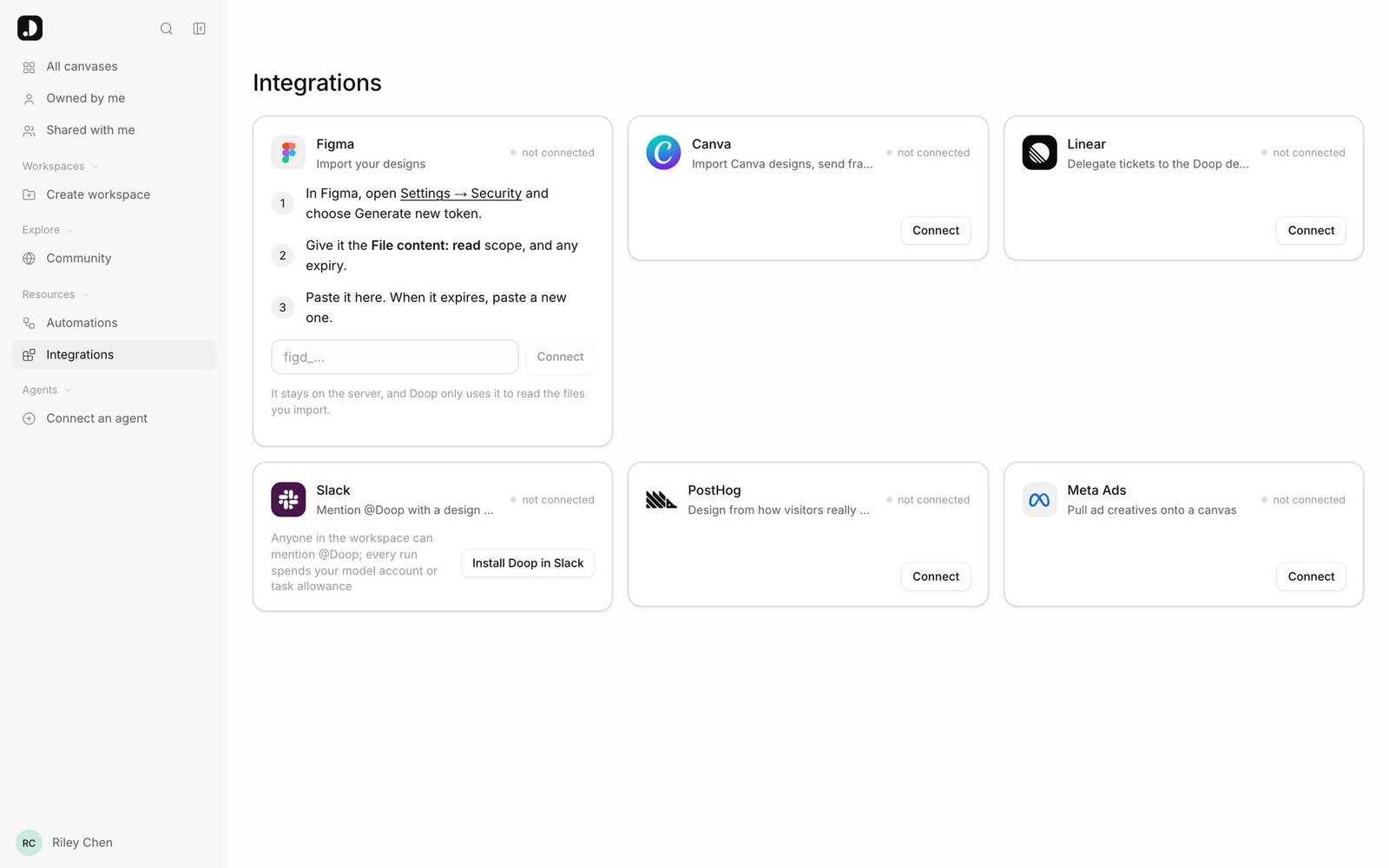
Agents join from outside, too. Claude Code, Codex, Cursor and ChatGPT connect over MCP, and the doop CLI lets scripts and CI jobs read, check and export frames. Everyone brings their own agent on their own subscription, so agents never take a paid seat.
Three design automation workflows to copy
Approved key visual to every size
A marketing lead approves the campaign key visual on the canvas. Next, an approval-triggered automation hands it to the Doop agent, which drafts 1080×1080, 1080×1920 and 1200×628 versions next to the original. A Slack step then posts one message to the campaign channel with links to the drafts. The original stays untouched, and the drafts wait for their own approval.
Wednesday brand sweep
A weekly automation asks the Brand Compliance role to review the brand canvas. It fixes off-palette colours and stray fonts in place, and every fix lands in the frame’s version history. Finally, a Linear step files one ticket that links to the canvas, so the review lands in a queue instead of a busy channel.
Code that ships only what was approved
A developer asks Claude Code to implement every frame marked ready for dev. The agent pulls those frames with their tokens, skips anything that needs review, and reports which ones it skipped. Our Claude Code and Codex setups walk through this one and six more. For print, Photoshop and campaign scenarios, see marketing design automation.
How to start with design automation this week
- Pick one repeated job. Choose the task your team does most often with the least judgment. Resizing is the usual winner.
- Write the rules down. Turn the brand book into a short style guide with exact values: hex codes, font names, logo files and minimum sizes.
- Decide who approves. Name one approver per asset type. Automation needs a name, not “the team”.
- Connect one agent. Use the built-in Doop agent, or connect Claude Code or Codex with one command.
- Route one notification. Send the result to one channel or one ticket queue, and nowhere else.
Run it for two weeks, and then add the next job. Teams that automate everything at once usually automate the confusion, too.
Frequently asked questions
What is design automation?
Design automation is the use of software, templates and AI agents to do repeatable design work: producing variants, checking brand rules, routing approvals, exporting files and notifying people. The creative direction stays with designers.
Will design automation replace designers?
No. It replaces the production work around design, such as resizing and exporting. Designers spend more time on direction and review, and approval stays with a named person.
What is the difference between design automation and creative automation?
Creative automation usually means template-based ad production at scale. Design automation is broader: it also covers brand checks, approvals, developer handoff and print preparation.
Which design automation tools work with AI agents?
Tools with an MCP server or a command-line interface work best, because agents can call them directly. Doop offers both. The Canva MCP and Figma MCP servers cover parts of the loop as well.
How much does Doop cost?
Doop is free on Doop Cloud and free to self-host under AGPL-3.0, with every feature. An Organization for a team costs $20 per editor per month, and agents never need a seat.