Integrations
Slack, Linear, PostHog, webhooks — and where Figma, Canva, GitHub and Meta are documented.
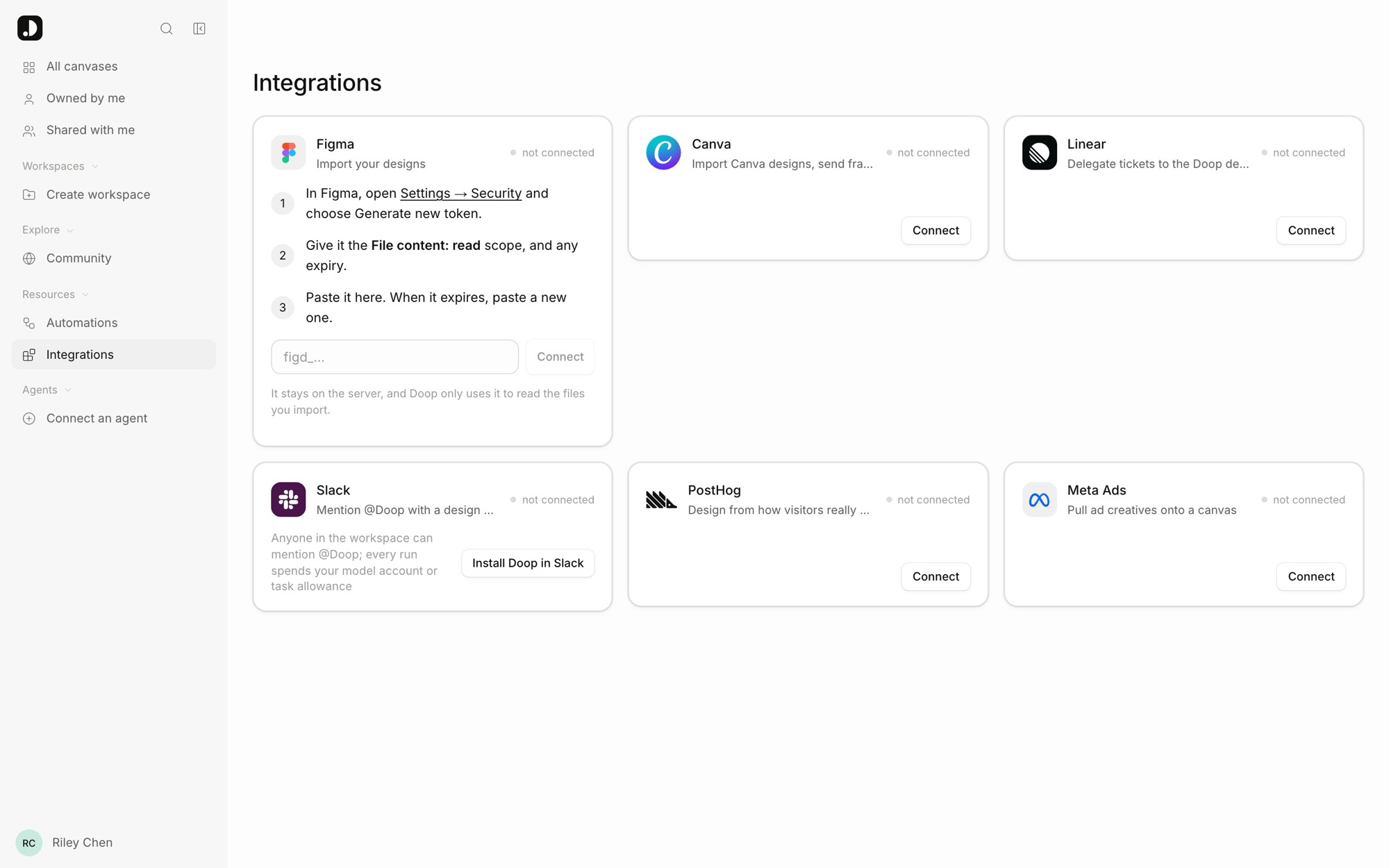
Design work rarely starts in the design tool. Briefs are written in Slack and Linear, the evidence for a redesign sits in PostHog, and the result has to reach an issue tracker or a channel. Each integration below connects under Integrations in the app, per account, and the credentials stay on the server — agents never see a token. The ones that bring material onto the canvas (Figma, Canva, GitHub, website import) are on the Import page; Meta ads live under Automations.
Slack
Mention @Doop in a channel with a design brief, or run /doop <brief>, and Doop creates
a canvas, runs its resident design agent on it and posts the finished frame back in
the thread with a link to the canvas. Doop replies "Doop is on it" straight away, edits that reply to add
Open design in Doop the moment the canvas exists, and posts the result — or a readable error — when
the run ends.
- Install from Integrations → Slack → Install Doop in Slack and approve it for your
workspace; then invite
@Doopto a channel. One Doop account installs per Slack workspace, and every run started from that workspace — by anyone who can mention the app — bills the installer's connected model account or task allowance. The install page says so before it redirects. - Follow up by mentioning
@Doopagain in the same thread: that queues another card on the same canvas, with the existing frames in view. A reply without the mention does nothing; edits can also be made on the canvas directly. - Privacy — the canvas is private and owned by the installer; the Slack link does not grant access. Share it from the canvas like any other. Doop ignores messages from bots, including its own.
Self-hosting? Creating the Slack app and the SLACK_* variables are in the repository's
docs/slack.md.
Linear
Install Doop as an agent in Linear and delegate an issue to it from the assignment menu. Doop creates a canvas, runs the resident agent on the issue's title and description, and reports back in the agent session: an acknowledgment, an Open design in Doop link while it works, then the result or an actionable failure. Linear keeps the human assignee; Doop is the delegate, and it never marks the issue done.
- Install from Integrations → Linear → Install Doop agent; a Linear workspace admin approves it. As with Slack, one installer per Linear workspace pays for every delegation from it.
- Follow-ups happen on the canvas. Messages in the Linear session do not queue another paid run; Linear's Stop cancels pending work.
- Read-only instead: connect a personal API key and agents get
list_linear_issuesandget_linear_issueto read tickets as brief material, without automatic pickup.
Server setup for self-hosting is in
docs/linear.md.
PostHog
Close the loop between how a live page performs and how it gets redesigned. Connect PostHog and agents read real visitor behaviour before they touch a page, and you see where visitors click — and stop reading — painted over the imported page itself.
Connect
Integrations → PostHog → Connect PostHog: pick your instance (US cloud, EU cloud, or a public
self-hosted address), paste a personal API key made under PostHog's Settings → Personal API
keys with the project:read and query:read scopes, and choose the project. Every read
uses the asker's own key — an MCP agent reads with its owner's PostHog, the Doop Agent with the key of the person
whose task it is — so nobody sees analytics they were not given.
Page insights for agents
get_page_insights { url, days } returns what a redesign should know: pageviews, visitors and
sessions; entries, bounce rate and session length when the page is a landing page; exit rate; how far people
scroll (the median, and the share reaching a quarter, half, three quarters and the end); the most clicked,
rage-clicked and dead-clicked elements by their text; the pages people go to next; and links to a handful of
session recordings, rage clicks first. list_posthog_pages lists the most viewed URLs so an agent finds
the address PostHog knows. The Doop Agent has both when the requester is connected.
Import acme.com/pricing, read its PostHog insights for the last 30 days, and
redesign it in a new frame next to the import: fix whatever people rage-click, move
what nobody scrolls to above the fold, and tell me what the data said.
Heatmaps on the canvas
On a frame imported from a website, the frame menu offers Show PostHog click heatmap and Show PostHog rage clicks. Clicks from visitors whose viewport was about the frame's width are painted over the page at their real positions, with reading-depth lines ("64% of visitors read this far") across it and a caption with the count and window. Hide it from the same menu.
In automations
A PostHog pull step reads a page's insights into a scheduled run as a brief every later agent step gets, and a PostHog watch trigger reads one metric every 15 minutes and starts a run when it passes a line you set — "when rage clicks on /pricing climb, draft a fix from the data". See Automations.
Webhooks
Doop POSTs a signed JSON event to URLs you register when something happens on a canvas you can open — the push
counterpart of polling get_comments over MCP. Route comments to a channel, hand finished agent work to
an issue tracker, trigger an n8n flow: anything with an HTTP endpoint.
- Open Settings → Webhooks, paste the URL and pick the events.
- Copy the signing secret; it is shown once, and Rotate secret issues a new one.
- Click Send test — Doop POSTs a
pingand shows the status it got back.
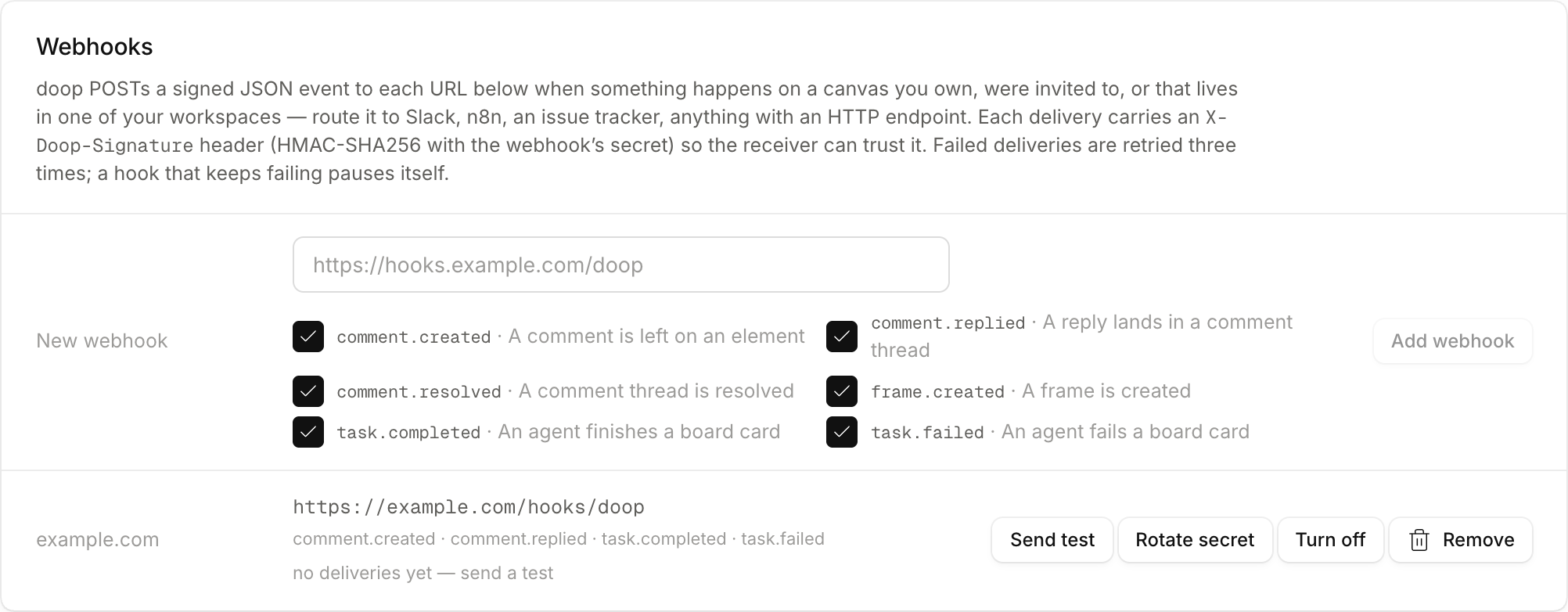
A webhook belongs to your account and fires for every canvas you own, were invited to, or that lives in one of your workspaces — never for one you only reach through a share link. Up to 10 per account.
type | When |
|---|---|
comment.created | a comment is pinned to an element, a frame or the canvas |
comment.replied | a reply lands in a thread |
comment.resolved | a thread is resolved |
frame.created | a frame is created, by a person or an agent |
task.completed | an agent finishes a task |
task.failed | an agent fails a task (it waits for a retry) |
ping | the Send test button |
Every delivery carries X-Doop-Event, X-Doop-Delivery, X-Doop-Timestamp and
X-Doop-Signature: sha256=…, an HMAC-SHA256 of <timestamp>.<raw body> with your
secret. Verify it against the raw bytes before parsing, and reject timestamps more than a few minutes old:
import { createHmac, timingSafeEqual } from 'node:crypto'

function verify(secret, headers, rawBody) {
  const timestamp = headers['x-doop-timestamp']
  if (Math.abs(Date.now() - Number(timestamp)) > 5 * 60_000) return false
  const expected = 'sha256=' + createHmac('sha256', secret).update(`${timestamp}.${rawBody}`).digest('hex')
  const given = headers['x-doop-signature'] ?? ''
  return given.length === expected.length && timingSafeEqual(Buffer.from(given), Buffer.from(expected))
}
The body is an envelope — id, type, at, canvas (id, name, url) —
plus the actor and the comment, frame or task involved; frames carry name and geometry, never HTML, and
comments carry a deep link to their thread. Answer with any 2xx within 10 seconds. A failed delivery is retried
after 10 s, 1 min and 5 min, then dropped; a webhook that fails 100 times in a row pauses itself until you turn it
back on. Full payloads are in
docs/webhooks.md.
Figma, Canva, GitHub, Meta
- Figma — import frames as editable HTML and send frames back as editable layers through the Doop plugin: Figma import, Send frames back to Figma.
- Canva — connect once under Integrations; paste a design link to import its pages as frames, and export frames as new Canva designs with live text boxes.
- GitHub — connect a repo to pull its design system and screens onto a canvas: GitHub import.
- Meta — pull your ads with last week's numbers on a schedule and let a resident role draft what comes next: Connect Meta.
Doop is open source, and integrations are built as extensions the core does not know about — Slack is modelled one-to-one on Linear. If yours is missing, build an integration is the starting point.