Prototypes
Clickable flows across frames, in Prototype mode or as attributes an agent writes.
Frames become a prototype when an element says what happens on click: go to that frame, open this one as an overlay, scroll to a section, open a link. Doop plays the flow full screen with real transitions, and because the interactions live in the frame's HTML as plain attributes, an agent can wire a whole flow in the same call that designs it. Nothing about this is a separate file: a prototype syncs, versions, copies and exports with its frames.
Wire up a flow
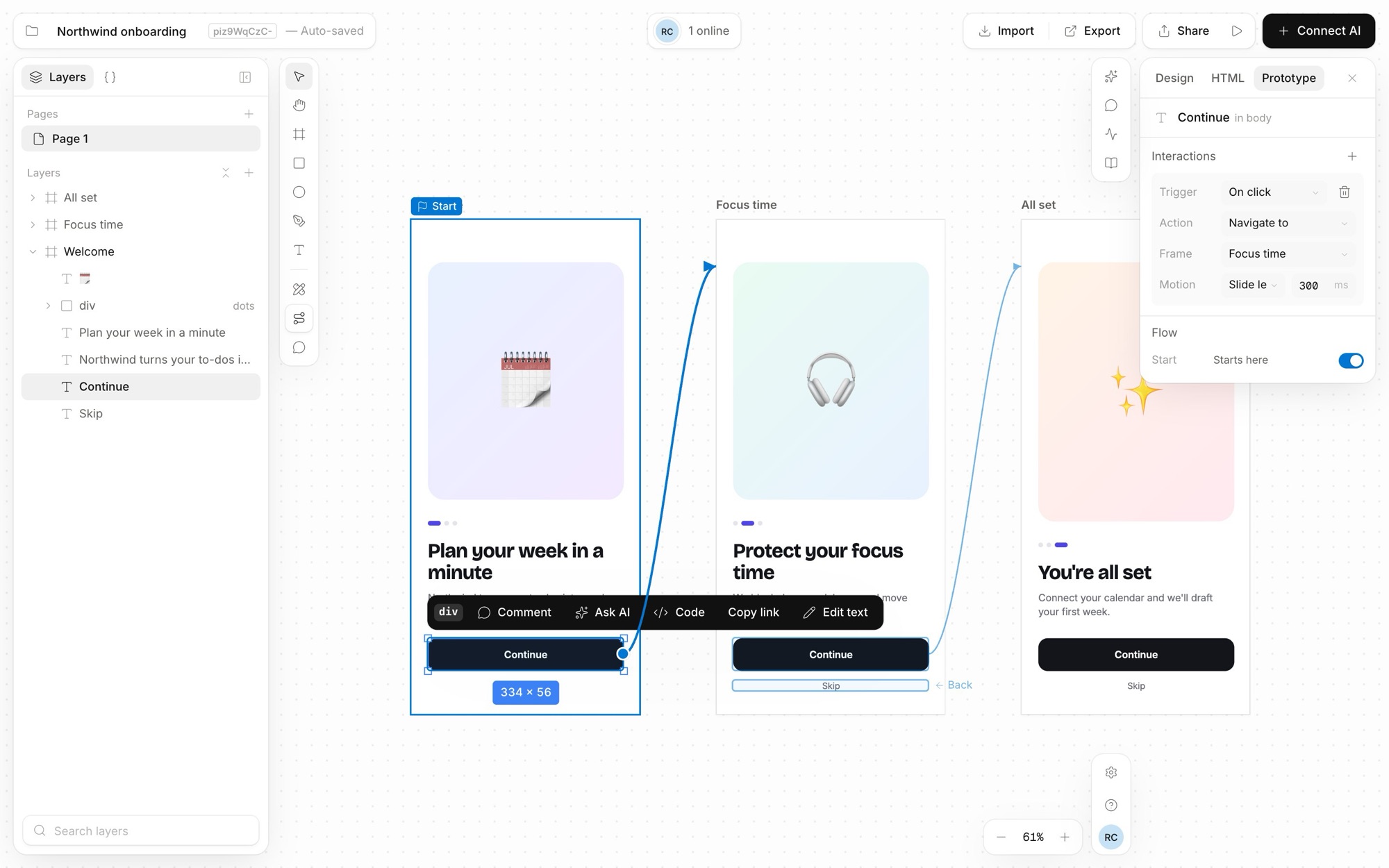
Switch the canvas to Prototype mode from the tool rail. Select an element and the Inspector's Prototype tab shows its Interactions; Add interaction gives you a trigger, an action and a motion:
- Trigger — On click, On hover (the pointer enters), While pressing
(release reverts), After delay (so many milliseconds after the screen appears) or On key
(
ArrowRight,Escape,Enter,Space…). - Action — Navigate to a frame, Back, Open overlay with a frame, Close overlay, Scroll to an element in the same frame, or Open link in a new tab.
- Motion — Instant, Dissolve, Slide or Push in any of four directions, with a duration (300 ms by default, up to 5 s). Back plays the arriving transition in reverse.
In Prototype mode the canvas draws a connector from each wired element to its target frame, so a flow reads at a glance; select an element and drag the round handle on its edge onto a frame to wire a click. One element can carry several interactions — a hover that opens a tooltip overlay and a click that navigates, say. Interactions do nothing in Edit mode: a click still selects, and they have no effect on PNG, JPG or PSD exports.
Where the flow starts
Each page has a start frame, shown as Starts here under Flow in the Prototype tab; Start the flow on this frame moves it. Without one, the flow starts on the page's top-left frame. Frame menus also offer Present from this frame to start anywhere.
Play it
Present prototype in the top bar opens the player: the frame fills the window, letterboxed and scaled to fit, and stays live — edit a frame on the canvas and the open screen updates. Navigation keeps a history (Back walks it); overlays open centred over a scrim, and the scrim or a Close overlay action dismisses the top one. Only the top screen listens for triggers, so a covered screen's delay timers pause and resume when it is uncovered.
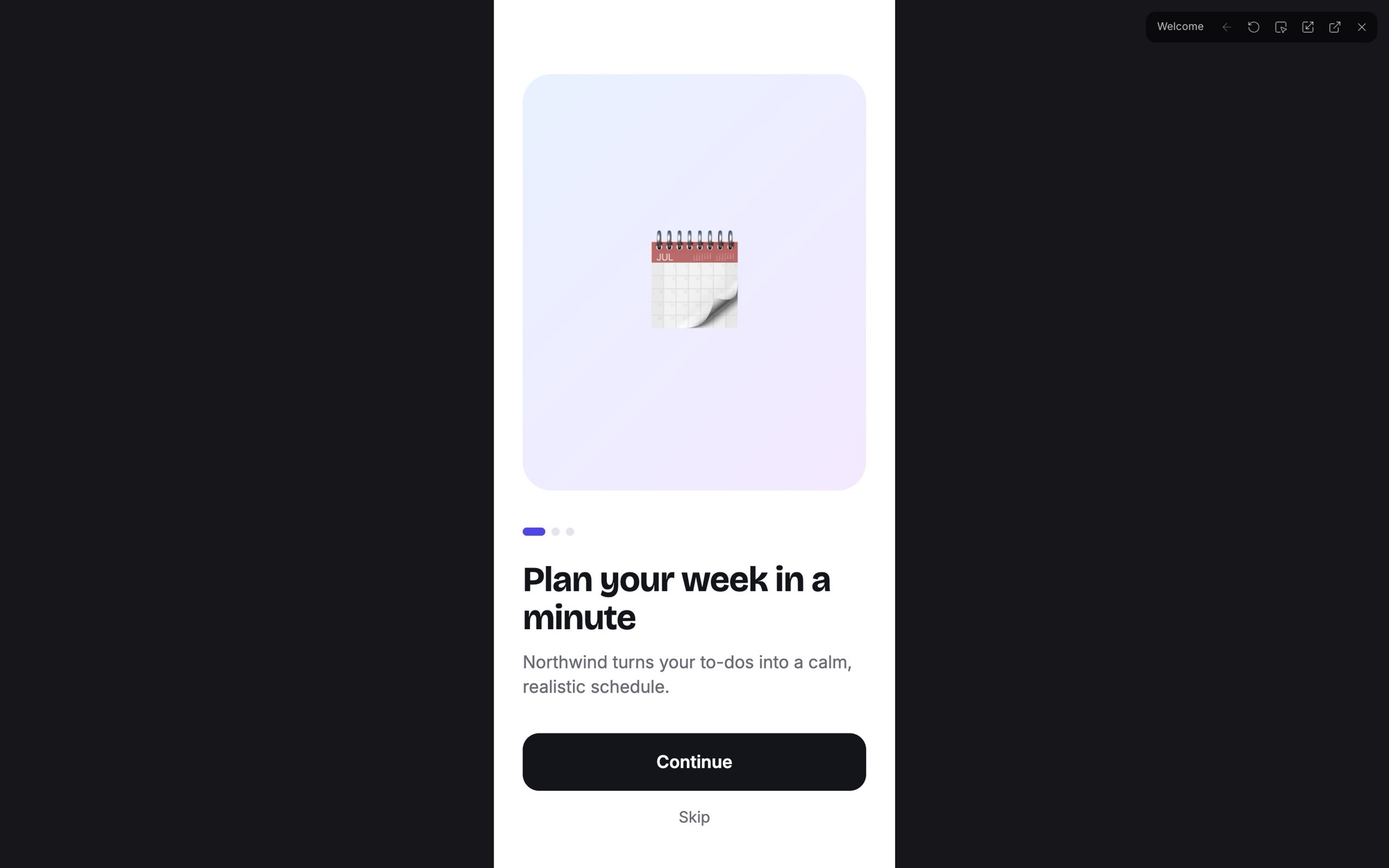
The player has a scaling pick — actual size, responsive, fit width, fit, fill — which it remembers per browser. Responsive is the one for frames with real responsive CSS: the viewport is the window, and the design reflows the way the shipped page would.
Share the prototype
https://doop.design/c/<canvas-id>/proto
The same player, full page, with none of the editor around it. Anyone who can open the
canvas can open its prototype, so a view link is all a reviewer needs. The prototype plays the page's flow from
its start frame; a frame deep link (?frame=) starts it there.
Interactions for agents
Interactions are attributes on the element that triggers them, so an agent writes them with the ordinary frame tools
(create_frame, append_frame_html, edit_frame_html) — no extra API:
<button data-doop-on="click" data-doop-action="navigate:<frame-id>"
        data-doop-transition="slide-left" data-doop-duration="250">Continue</button>

<a data-doop-on="click" data-doop-action="overlay:<frame-id>">Terms</a>
<div data-doop-on="delay:1500" data-doop-action="navigate:<frame-id>">…</div>
<nav data-doop-on="key:ArrowRight" data-doop-action="navigate:<frame-id>">…</nav> -
data-doop-on:click,hover,press,delay:<ms>,key:<Key>. -
data-doop-action:navigate:<frameId>,back,overlay:<frameId>,close-overlay,scroll-to:<css selector>,url:<https url>. -
data-doop-transition:instant,dissolve,slide-left/-right/-up/-down,push-left/-right;data-doop-durationin milliseconds. -
Several interactions on one element use the JSON form,
data-doop-interactions='[{"on":"click","action":"navigate:abc","transition":"dissolve"}]'.
Over MCP, get_prototype returns the whole flow of a canvas — every wired element, its target and the
page's start frame — and set_prototype_start sets the start. Frame ids come from get_canvas.
An invalid interaction (an unknown trigger, a target that is not a frame id, a non-https URL) is dropped rather than
guessed at. A brief that works well:
Wire the onboarding flow: Welcome → Choose plan → Payment → Done, slide-left on
Continue, Back on every back arrow, and open the Terms frame as an overlay from
the footer link. Start the flow on Welcome.
When a page or canvas is copied, every navigate: and overlay: target is rewritten to the
copied frames, so the copy's flow plays on the copy.
Tips
- One page per flow. The start frame is per page, and Present plays the current page — keep each flow's screens together.
- Overlays for modals, navigation for screens. An overlay keeps the screen under it live and scaled; use it for sheets, dialogs and menus.
- Use key: for decks.
ArrowRight/ArrowLefton the frame root turns a row of frames into a presentation.