 Written by
Looking for OpenDesign alternatives? OpenDesign (also written Open Design) is one of the most ambitious open-source AI design tools around. That ambition is also why some people move on. It does a lot, but it is not a design canvas, and teams often need one. This guide explains what OpenDesign actually does, where it pinches, and which tool fits better depending on what you are after.
What OpenDesign is, and what makes it unusual
OpenDesign is a local-first design workspace, open source under Apache-2.0. Its most unusual trait is spelled out in its own README: it does not ship an agent. Instead, it drives the coding agents you already have installed, such as Claude Code, Codex, Cursor, Copilot or Gemini, and supports more than 20 of them. Alternatively, you can bring your own API key.
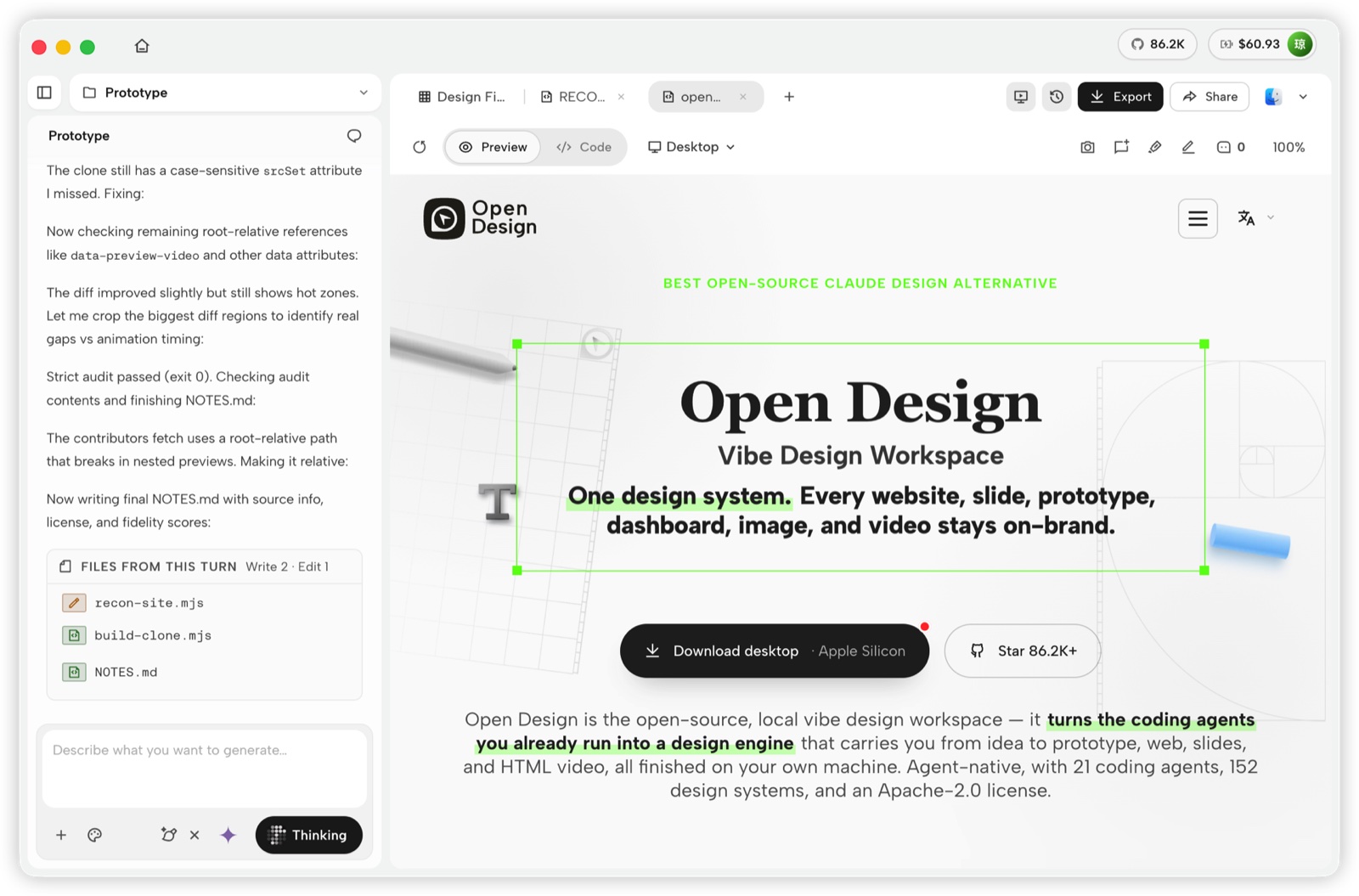
On top of that, it packs in far more than most design tools:
- Six kinds of output. Prototypes, slide decks, images, motion graphics rendered to MP4, live dashboards and motion references.
- 151 design systems. Each one is a
DESIGN.mdbrand package, and you can switch between them or drop in your own. - Skills and plugins. More than 100 skills and over 270 official plugins, which you can also install from its
odcommand line tool. - Many exports. HTML, PDF, editable PowerPoint, ZIP, Markdown and MP4.
- An MCP server. It hands work to code editors, but the server is read-only by default.
The desktop app runs on macOS and Windows, and Linux users build it from source. Local use is free. If you want hosted models, OpenDesign’s Go plans start at $10 a month for a shared credit pool.
Where OpenDesign pinches
All that breadth comes with trade-offs. These are the most common reasons people look elsewhere:
- It generates, but you cannot design by hand. You refine by prompting. The README documents no direct drag-and-edit tools, and targeted comment edits are still described as partially shipped.
- Collaboration is thin. You get share links, and team plans add comments. However, there is no live canvas where teammates and agents work side by side.
- Setup takes effort. You need an agent CLI installed and signed in. Bring-your-own-key runs can generate designs but cannot edit project files.
- It can feel overloaded. Six modes, hundreds of plugins and dozens of agents are powerful, but many teams only need one or two of them.
OpenDesign alternatives at a glance
| Tool | What it is | Open source | Agents | Best for |
|---|---|---|---|---|
| Doop | Shared AI design canvas | Yes, AGPL-3.0 | Your own, over MCP (read and write) | Teams reviewing agent work live |
| Penpot | Open-source vector design tool | Yes, MPL-2.0 | MCP server (read and write) | A Figma-style canvas you can self-host |
| Claude Design | Hosted prompt-to-design | No | Claude only | Zero setup, on any Claude plan |
| Google Stitch | Gemini UI generator | No | Gemini, MCP by prompt | Free first drafts |
| Figma | Cloud design canvas | No | MCP server, writes need a Full seat | Teams already in Figma |
| v0, Lovable, Bolt | Prompt-to-app builders | No | Built-in | A working, hosted app |
Open-source OpenDesign alternatives
If open source is why you chose OpenDesign, start here. Both options below are open, and both give you a real canvas.
1. Doop: a shared canvas for people and agents
Doop takes the part OpenDesign does lightly, collaboration, and makes it the core. You connect the agent you already use over MCP. It then designs live on a shared canvas under its own name, while teammates watch, comment and edit next to it.
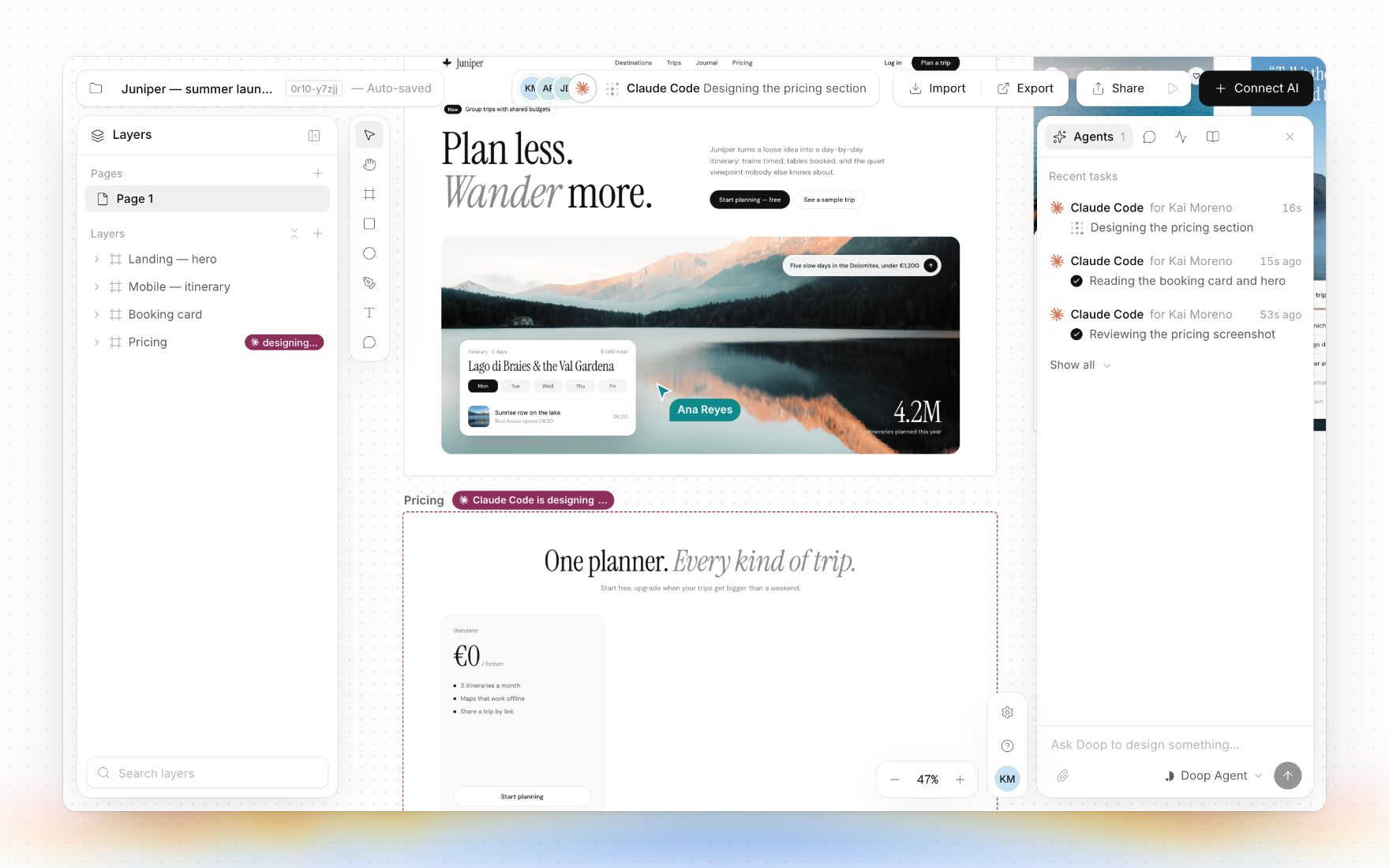
Like OpenDesign, Doop lets you bring your own agent. Unlike OpenDesign, its MCP server reads and writes, so the agent edits the design directly. In addition, every frame is real HTML that you can also change by hand. You also get clickable prototypes, components and tokens, and imports from websites, Figma and GitHub.
Doop is open source under AGPL-3.0 and can be self-hosted. The hosted version has a free plan with the full product, and Organization costs $20 per editor per month. Agents never take a seat, because everyone brings their own.
Choose Doop over OpenDesign when designers, engineers and agents need to work on the same design together, or when you want to edit by hand as well as by prompt.
2. Penpot: the open-source vector canvas
Penpot is the best-known open-source design tool, released under MPL-2.0. It is a full vector canvas in the Figma mould, with components, prototypes, design tokens and real-time collaboration. You can use it hosted or self-host it.
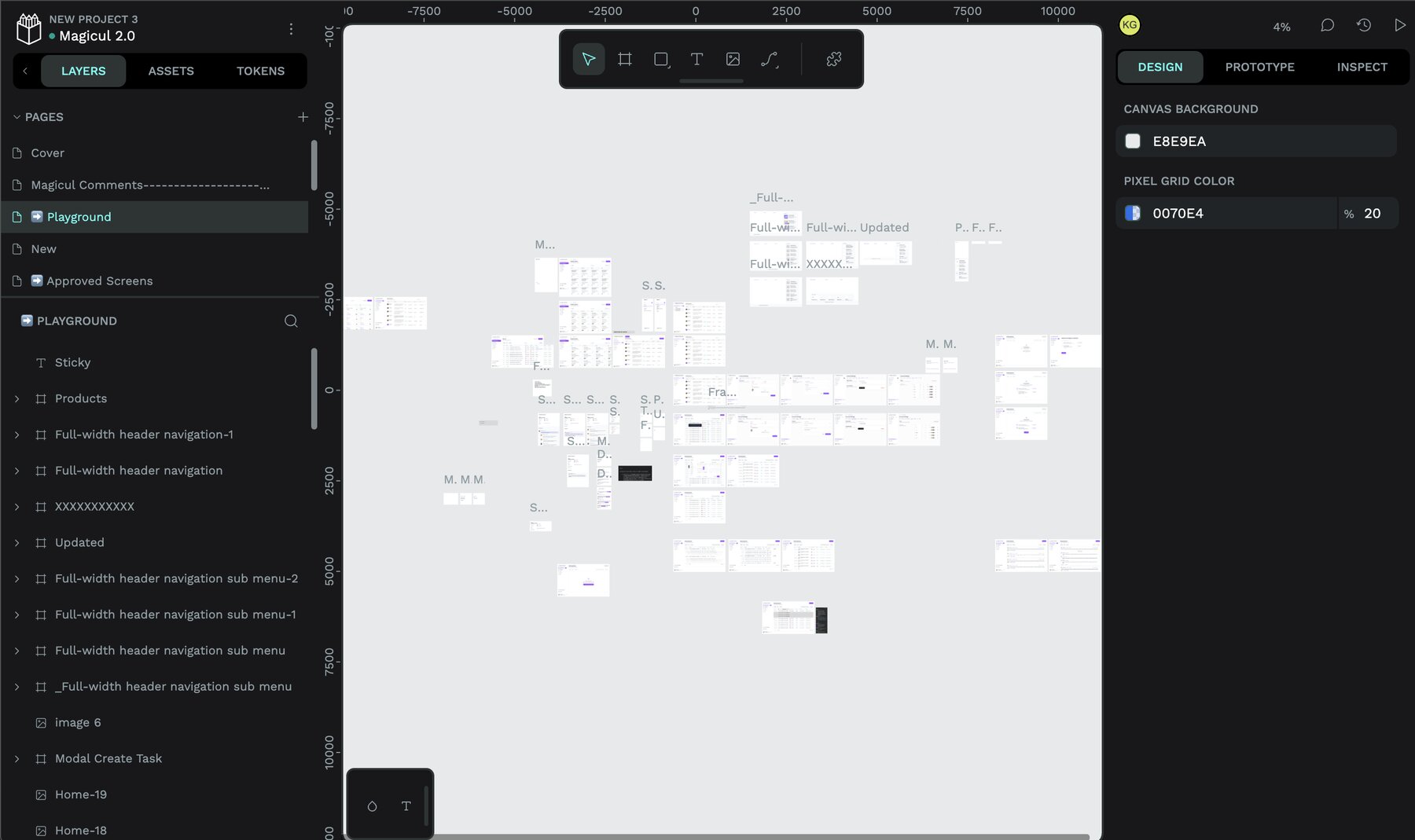
Penpot also has an official MCP server, which lets agents such as Claude, Codex and Cursor read, change and create designs. Moreover, its main plan is free, and the paid Unlimited plan costs $7 per editor per month, capped at $175 a month for the whole team.
Choose Penpot over OpenDesign when you want precise, hands-on design work in an open tool, with agents as helpers rather than the main way of working.
AI design tools
These tools turn a prompt into a design, like OpenDesign does, but they host everything for you. As a result, setup takes seconds instead of an afternoon.
3. Claude Design: zero setup on any Claude plan
Claude Design turns a description into a first version of a site, a deck or a mockup. It now comes with every Claude plan, including Free, and works inside Claude Code through the /design command. You can export to PowerPoint, PDF or HTML.
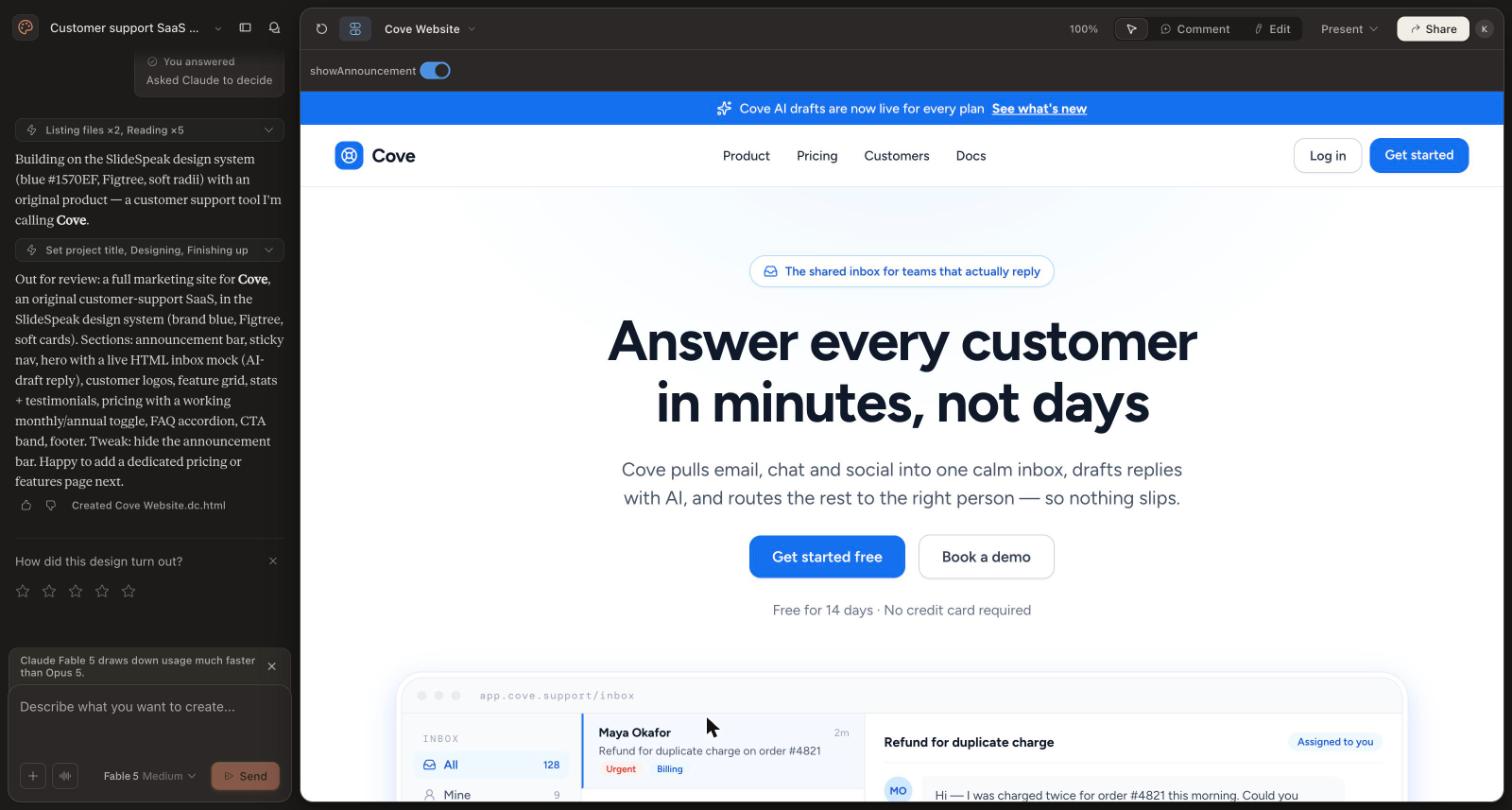
However, it is closed, hosted and tied to Claude, and large requests use up your plan’s limits quickly. For a deeper comparison, read our guide to Claude Design alternatives.
4. Google Stitch: free first drafts
Google Stitch is Google’s free UI generator, powered by Gemini. It produces several screens at once and lets you paste results into Figma. On the other hand, its agent connection only lets you prompt Stitch, not edit the design directly.
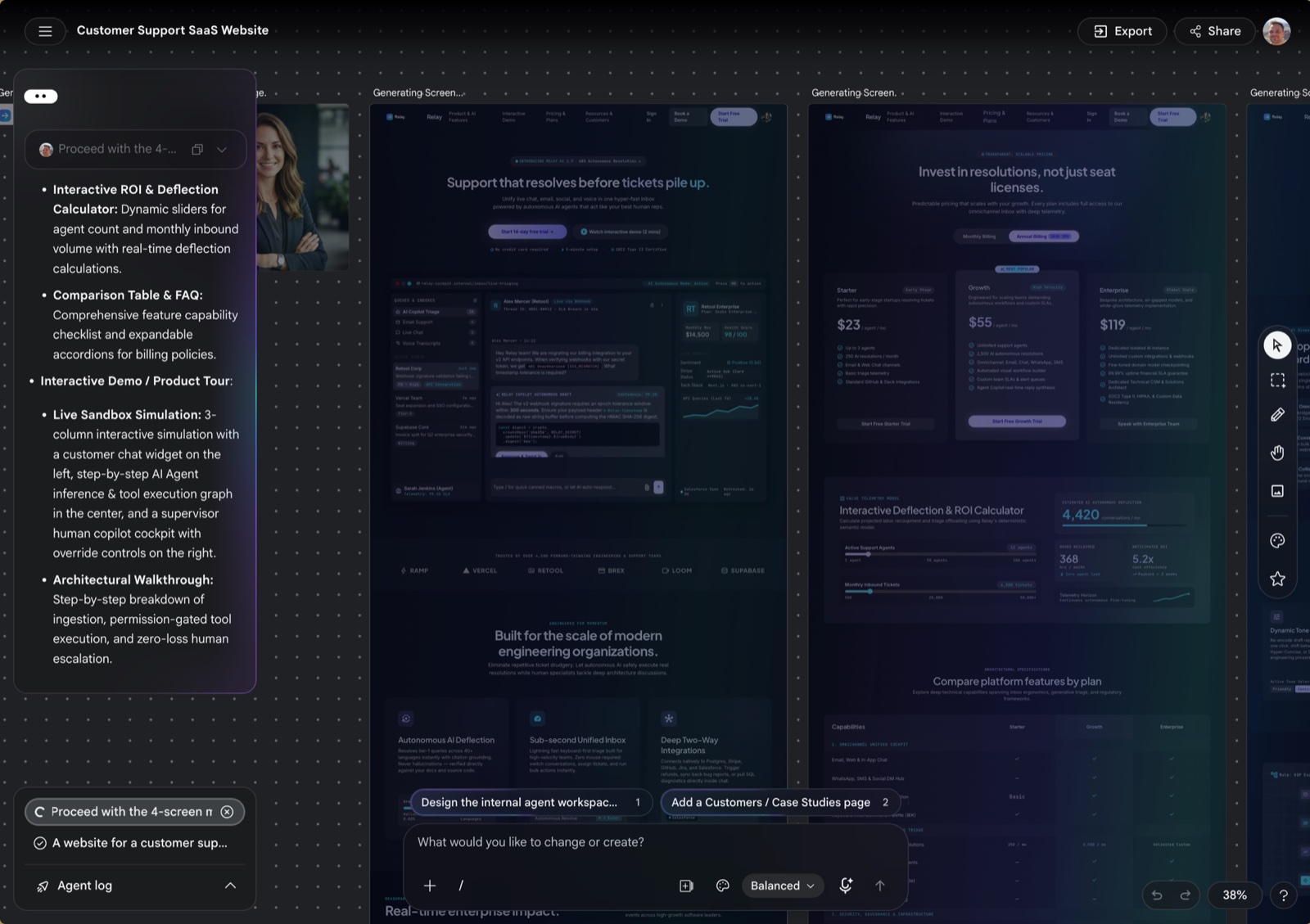
It is a good, free way to explore ideas. For the full picture, see our Google Stitch alternatives comparison.
5. Figma with MCP: stay where your team already works
If your designs already live in Figma, its MCP server connects Claude Code, Codex, Cursor and other agents to your files. Agents can now write directly to the canvas, although writing outside your drafts needs a Full seat.
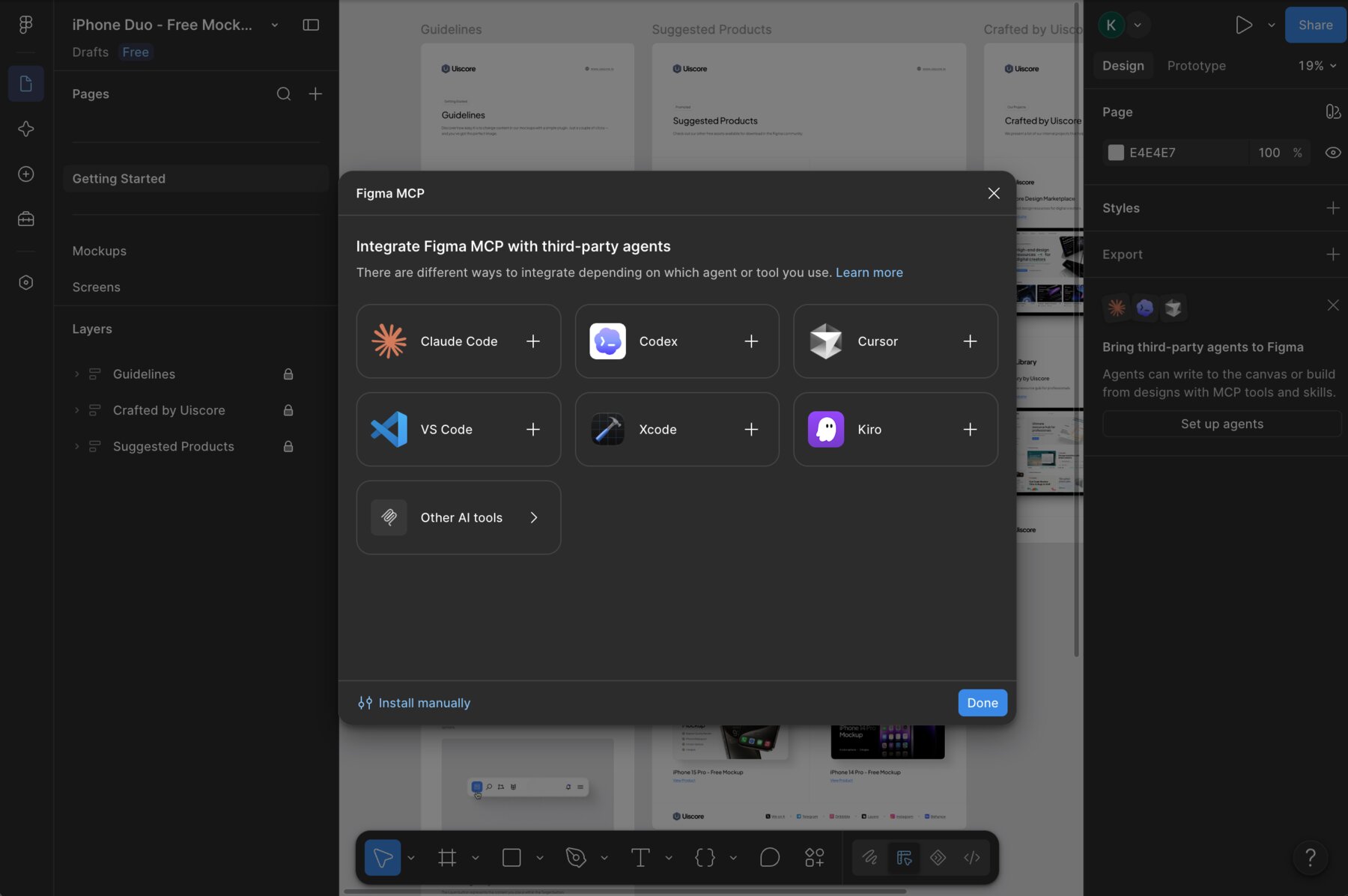
Choose Figma over OpenDesign when your design system already lives there and nobody wants a second tool.
6. v0, Lovable and Bolt: when you want a working app
Some people use OpenDesign as a quick way to get a working interface. If that is you, a prompt-to-app builder may fit better, because it also handles the database, sign-in and hosting.
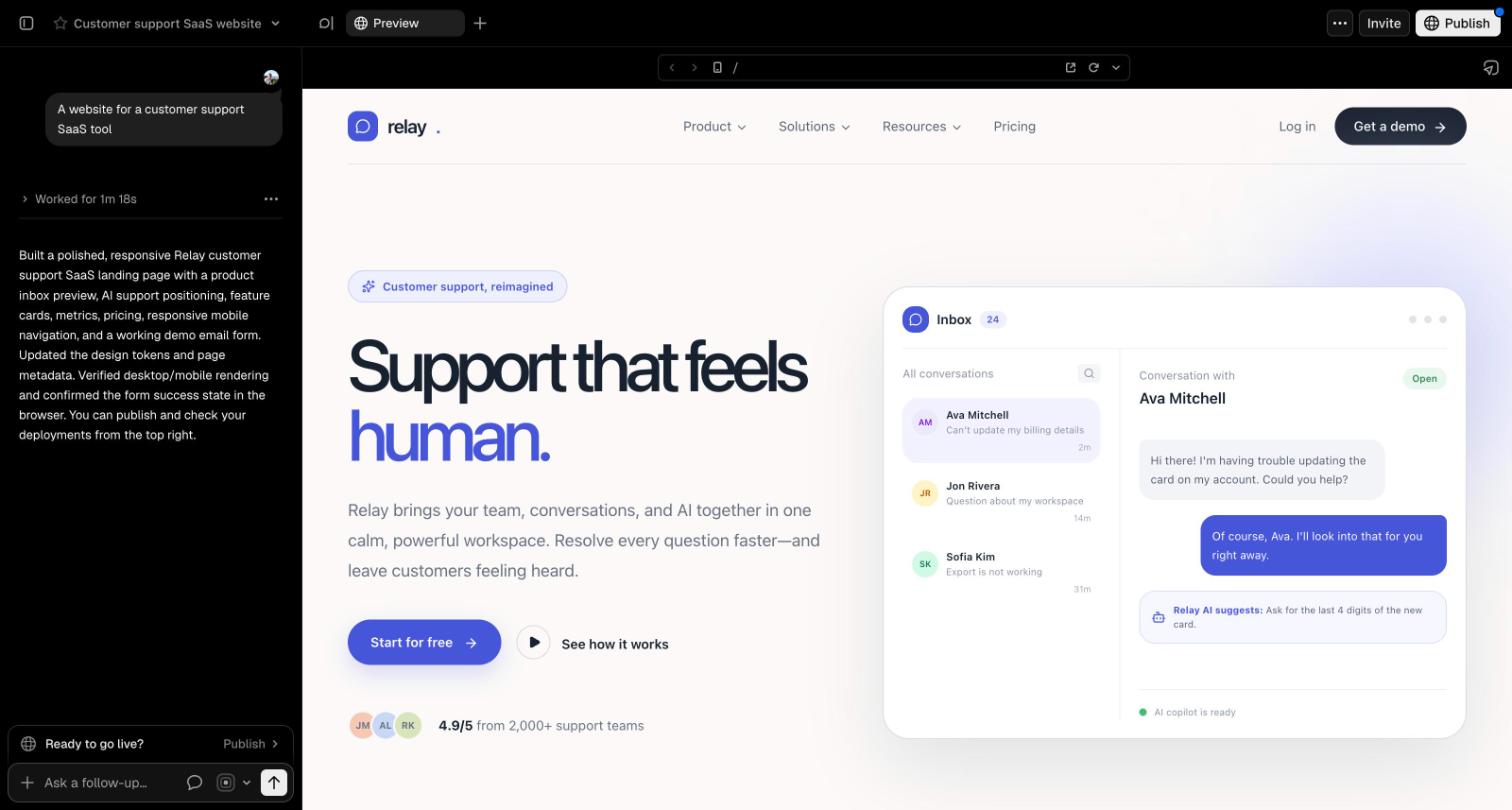
- v0 by Vercel generates React components and deploys them to Vercel.
- Lovable builds full-stack apps with a database and sign-in included.
- Bolt runs a complete development environment in your browser.
The trade-off is design control. These tools aim for a working app, so fine visual work and design systems take a back seat.
Other tools people compare with OpenDesign
OpenDesign’s own comparison list also includes Framer, Webflow, Canva, Cursor, Replit, Uizard and Base44. In short, Framer and Webflow are site builders with hosting and a CMS. Canva is best for marketing graphics. Cursor is a code editor that works alongside any of the tools above, rather than replacing them. And if you like OpenDesign’s idea of design files you own, see our guide to pen.dev alternatives.
How to choose an OpenDesign alternative
Start from what bothers you about OpenDesign. First, if you miss working together, pick Doop for its live shared canvas. Second, if you want precise manual design in an open tool, pick Penpot. Third, if setup is the problem, Claude Design or Google Stitch get you going in seconds. Finally, if you really wanted a working app, try v0, Lovable or Bolt.
On the other hand, stay with OpenDesign if you love its breadth and want everything local. Many teams also mix tools: for example, they generate ideas in OpenDesign and refine them together on a shared canvas. To see how these tools connect to your agent, read our guide to the design MCP for Claude Code.
Frequently asked questions
Is OpenDesign free? Yes. The desktop app is free and open source, and running it with your own agent or API key costs nothing extra beyond your model usage. Hosted model credits start at $10 a month.
Is OpenDesign the same as Open Design? Yes. The project is called Open Design on its website and OpenDesign in many places, and it lives at nexu-io/open-design on GitHub.
What is the best open-source OpenDesign alternative? Doop if you want a shared canvas where people and agents design together. Penpot if you want a classic vector design tool.
Does OpenDesign work with Claude Code? Yes. It drives Claude Code as one of its supported agents. Doop, Penpot and Figma also connect to Claude Code over MCP.
OpenDesign or Claude Design? Choose OpenDesign for open source, local files and a choice of models. Choose Claude Design for zero setup, as long as you are happy staying with Claude.