 Written by
Google Stitch alternatives matter most when you look past the demo and ask how a tool actually works with AI agents. Stitch is genuinely good at prompt-to-screens. However, its MCP server only lets your agent prompt Stitch; it never hands over the HTML. It also runs Gemini only, and it is not open source. Therefore, this guide compares eight alternatives on the things that decide real workflows: MCP capabilities, direct edits, model choice, image generation, imports, design systems, GitHub sync, integrations and automations. We also ran the same prompt through four of the tools and posted the results.
The test: one prompt, six tools
Comparison tables lie less when you make the tools work. So we gave Stitch, Doop, Claude Design, v0, Figma Make and Framer the identical prompt: “A website for a customer support SaaS tool.” No follow-ups, no design brief from us. Here is what came back, including the strangest finding: four of the six tools independently named their invented product “Relay”.
Google Stitch: multi-screen site, agent narration
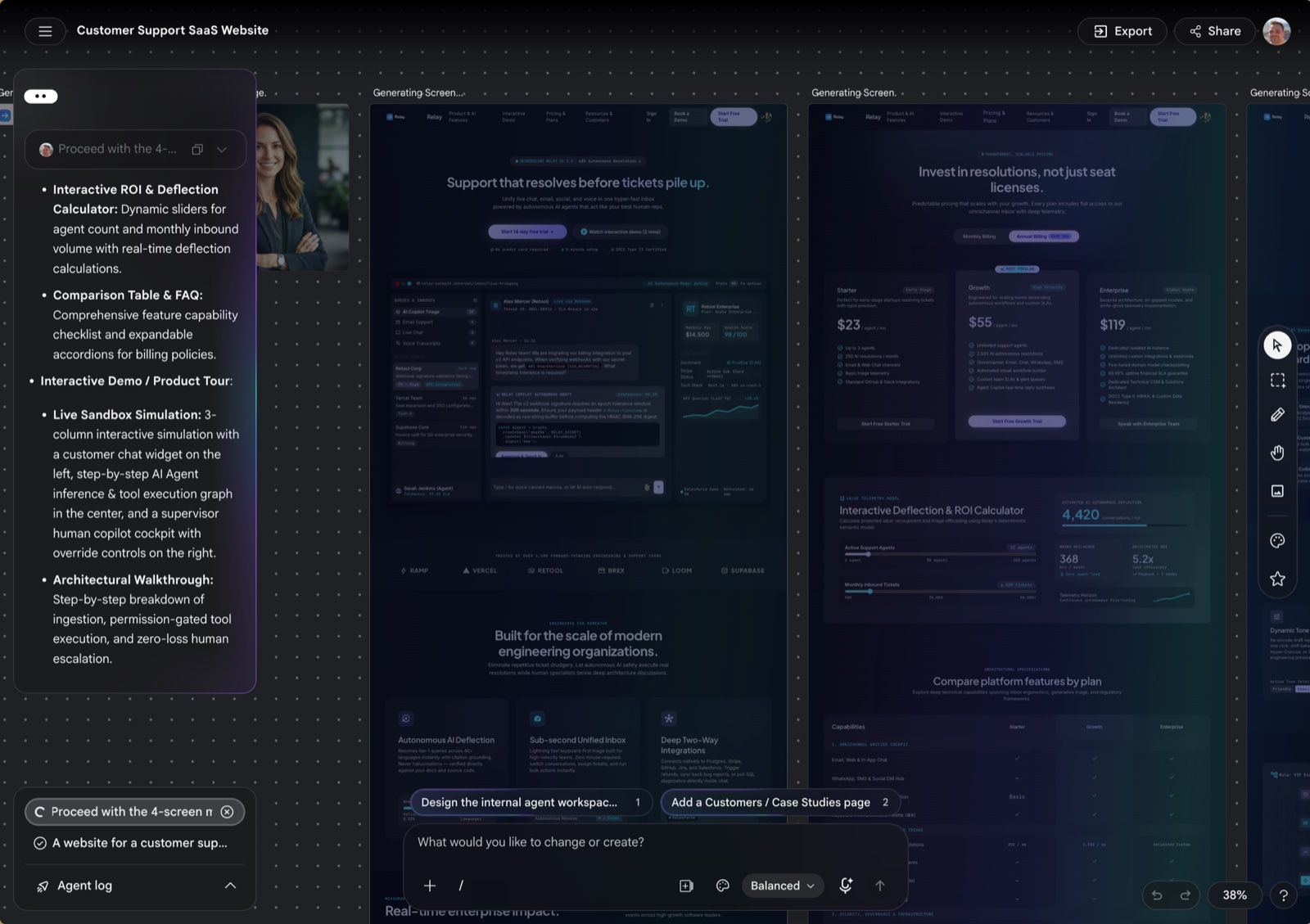
Stitch delivered the most screens per prompt. It queued follow-up cards (“Design the internal agent workspace”, “Add a Customers page”) on its own, and the agent log reads like a designer thinking aloud. The look is a polished dark enterprise theme. In addition, generation took a couple of minutes and spent daily credits.
Doop: your agent designs, you watch
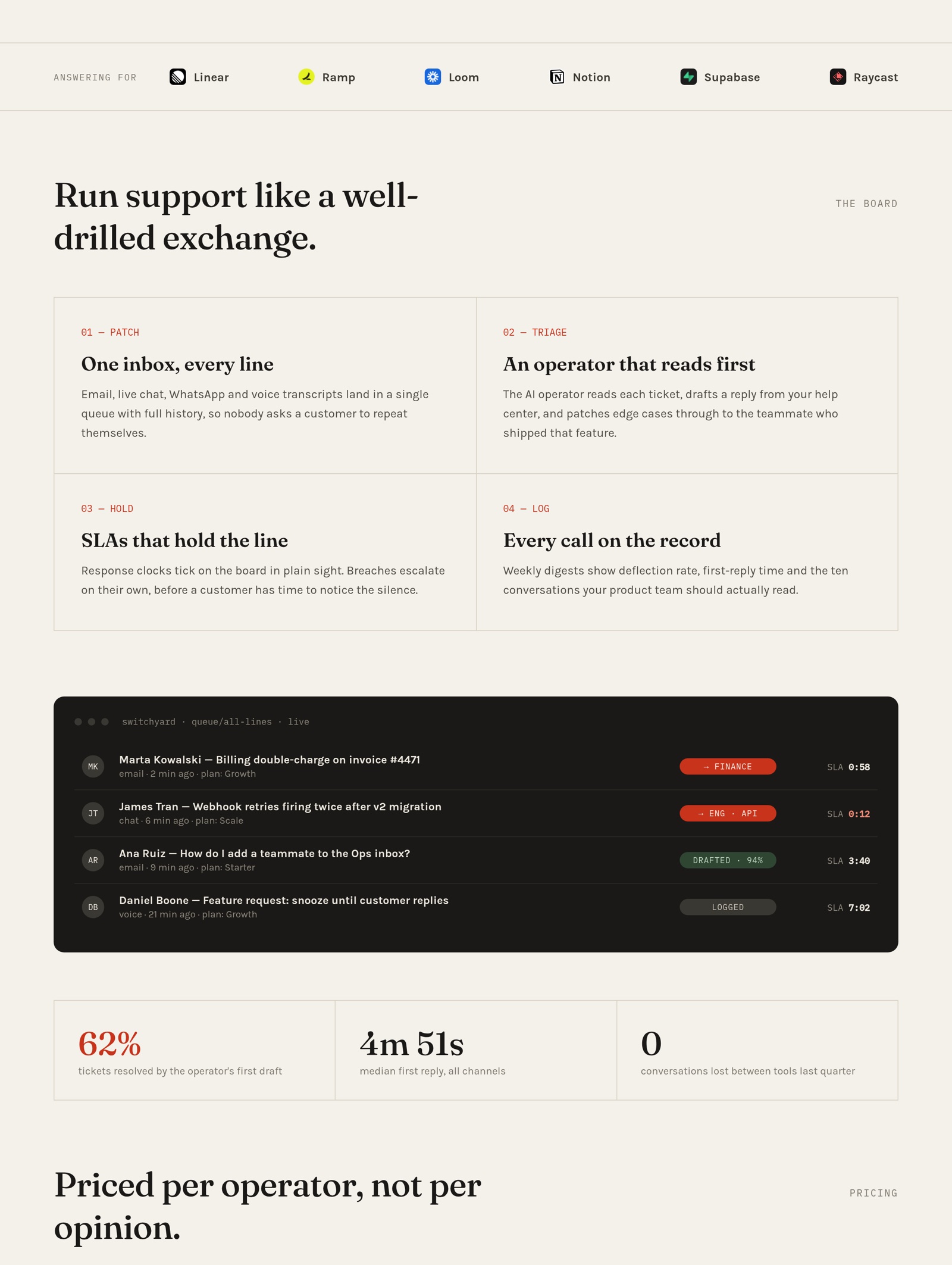
Doop has no house model, so the result depends on the agent you connect. Our Claude Code session committed to a brief (a telephone-switchboard mood, one red accent), pulled real company logos through the MCP, and reviewed its own screenshot before finishing. Because the agent edits raw HTML, nothing about the output is templated.
Claude Design: your design system, applied
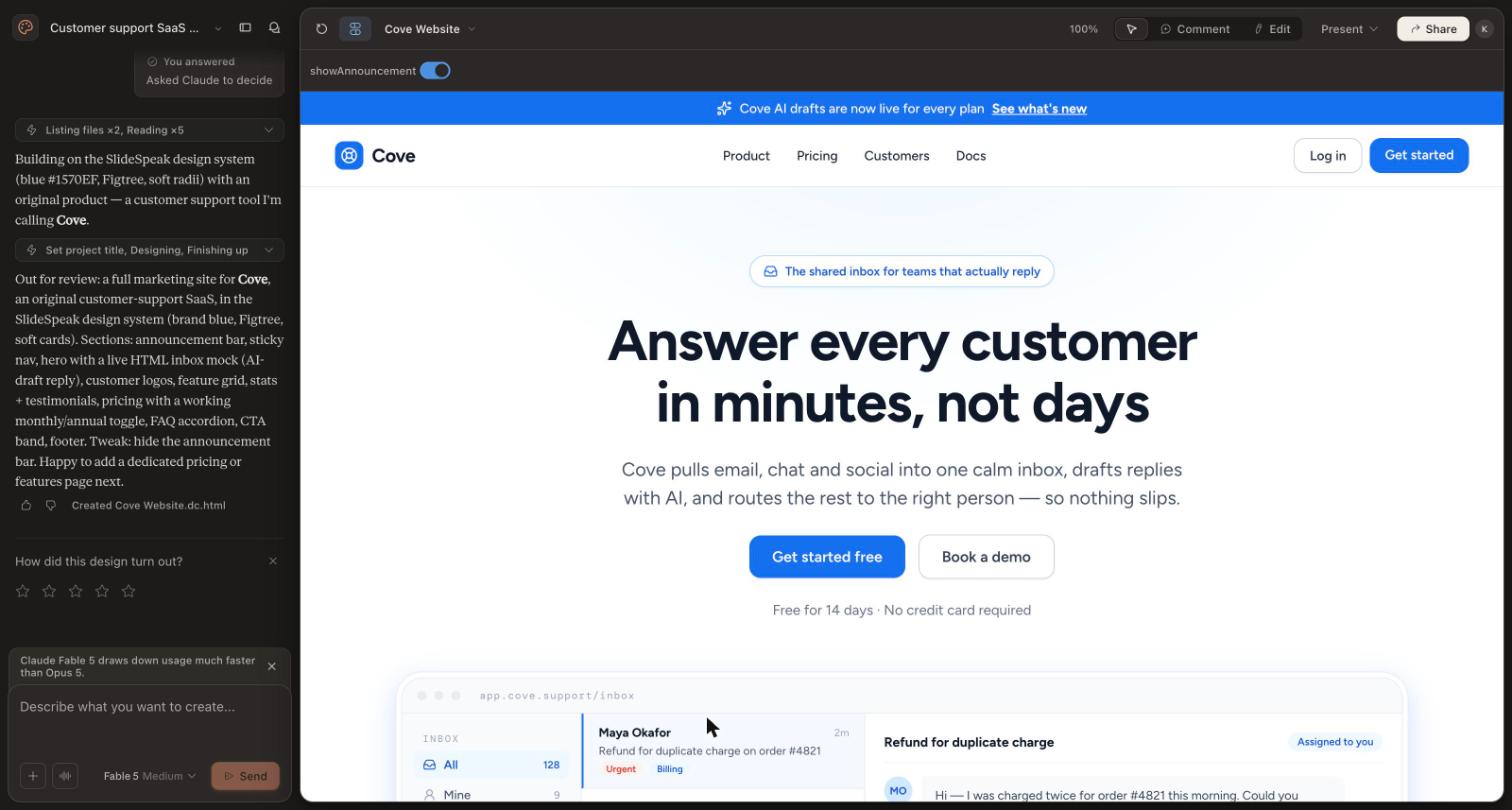
Claude Design behaved differently from every other tool: it first asked structured questions (audience, scope, tone), and when we chose “Decide for me” it reached for the design system saved in our workspace. That is its whole pitch. Output is an interactive artifact with working parts, not a static picture.
v0: working React in 78 seconds
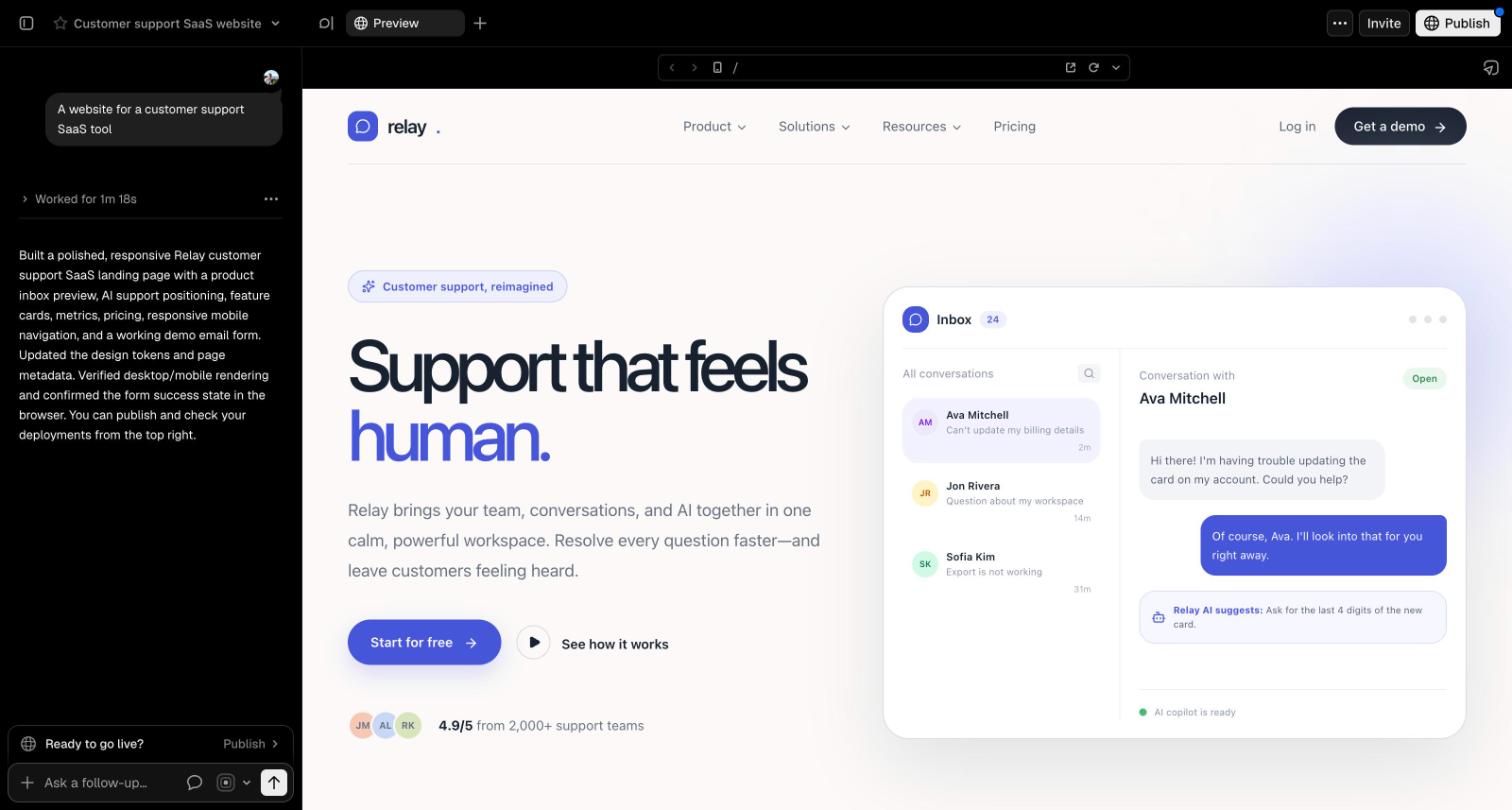
v0 was the fastest, and the output is deployable code rather than a mockup. It also named the product “Relay”, the same name Stitch chose. Hold that thought.
Figma Make: a working app inside Figma
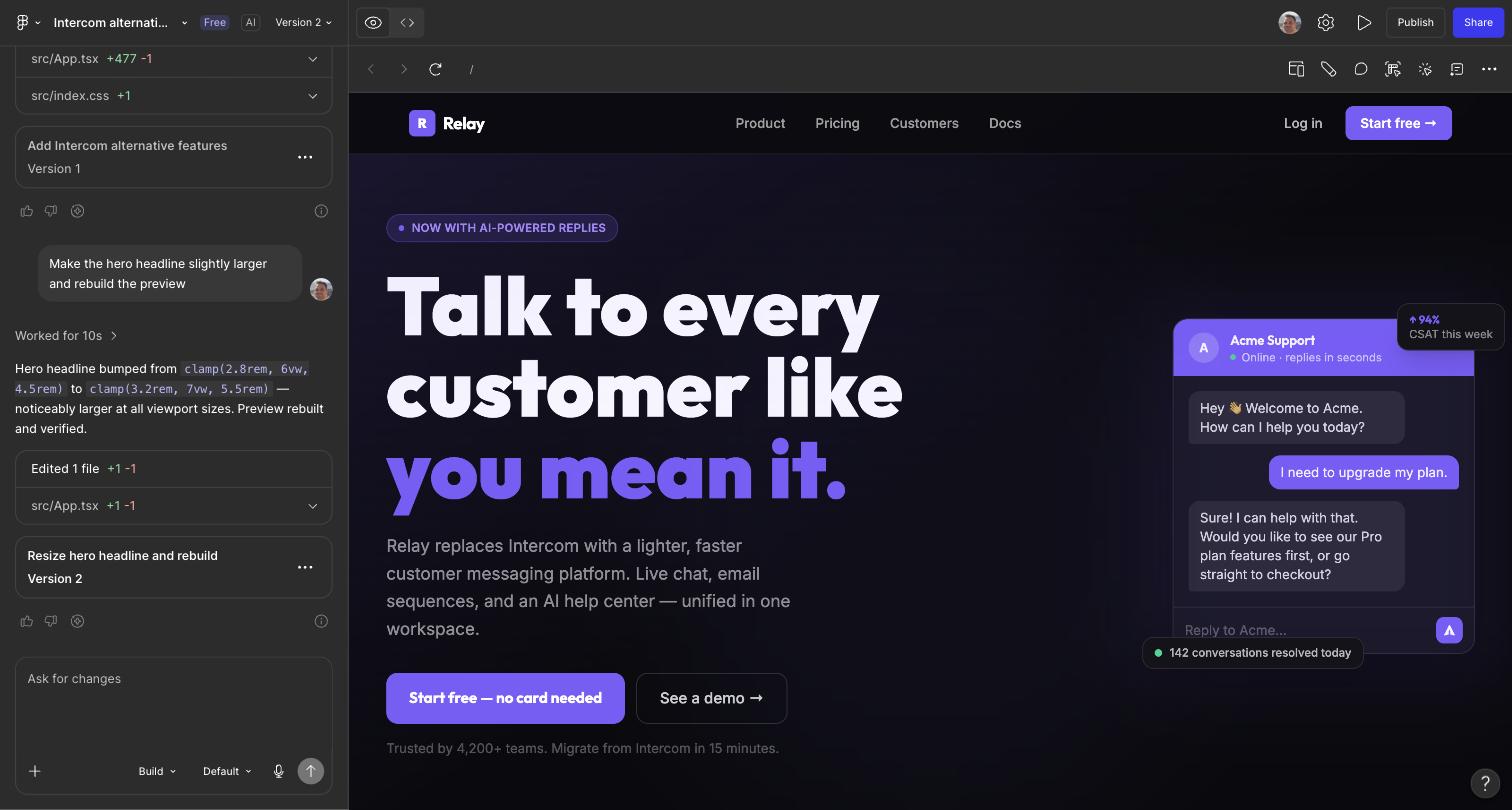
Figma Make produced a dark, confident page with a working chat mock, and follow-up prompts (“make the hero headline slightly larger”) edit the underlying React with a diff you can inspect. The output lives inside Figma as an app, not as design frames, which surprises people the first time.
Framer: editable layers, published in a click
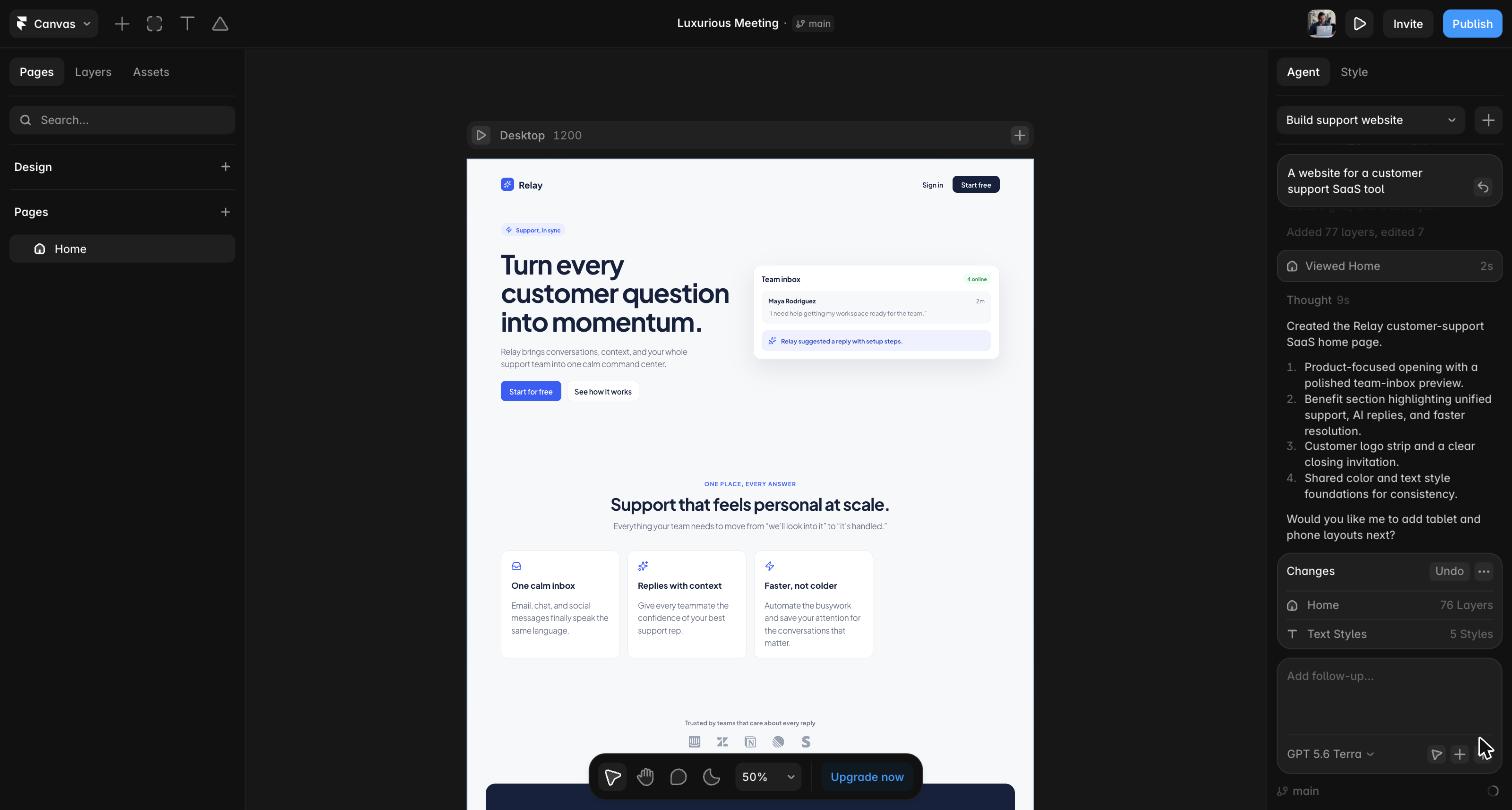
Framer asked three multiple-choice questions before starting (we skipped them all), searched fonts and icon sets, and delivered real, editable canvas layers with shared color and text styles rather than a flat page. One publish click would put it on a live URL. The result is the most immediately shippable website of the six.
Four tools, one imaginary company
Stitch, v0, Figma Make and Framer all named their fictional product “Relay”, without any hint from the prompt. Different vendors, different models, same training-data gravity. It is a memorable argument for the other camp of tools: when your own agent designs with a brief, as in the Doop run above, you escape the default taste that every prompt-to-site tool converges on. Claude Design escaped it differently, by anchoring on our saved design system and calling its product “Cove”.
Google Stitch alternatives at a glance
| Tool | Agent access (MCP) | Direct HTML/node edits by your agent | Bring your own model | Open source | Pricing |
|---|---|---|---|---|---|
| Google Stitch | MCP, 14 tools | No, prompts only | No, Gemini only | No | Free, daily credits |
| Doop | MCP, 26 tools | Yes, raw HTML per frame | Yes, any MCP agent | Yes (AGPL-3.0) | Free in beta |
| Claude Design | None | No | No, Claude only | No | Paid Claude plans |
| OpenDesign | MCP, file-level | Yes, writes files | Yes, 21+ agent CLIs | Yes (Apache-2.0) | Free |
| v0 | MCP, chat-level | No via MCP, yes in-app | No, v0 Mini/Pro/Max | No | Free tier, from $30 |
| Paper | MCP, node-level | Yes, write_html | Yes, any MCP agent | No | Free tier, Pro $20 |
| Pen (ex Pencil) | MCP + CLI | Yes, .pen files | Yes, in-app and external | Format open, app closed | Free |
| Figma Make + MCP | MCP, read + write | Yes, node edits (beta) | No, Claude under the hood | No | Paid full seat |
| Framer | No MCP, native agent link | Layouts yes, raw HTML no | Picker + external agents | No | Free tier, from $10 |
MCP capabilities: prompting a tool is not editing a design
This is the distinction most roundups miss. Stitch has an MCP server at stitch.googleapis.com/mcp with 14 documented tools. Your agent can create projects, generate screens, spin variants and download the HTML, screenshots and Figma export of any screen. However, the only edit tool is edit_screens, and it takes a natural-language prompt. Stitch’s own Gemini model performs the change. There is no tool that lets Claude Code or Codex patch a screen’s HTML or CSS directly, so your agent is a client of Stitch’s designer, never the designer.
The alternatives split into four camps:
- Direct-edit canvases. Doop exposes
edit_frame_html(exact find and replace),set_frame_htmland streaming appends, so the agent owns every div. Paper’s MCP reads selections and styles and writes artboards withwrite_html. Pen lets agents execute fine-grained commands against open .pen files. OpenDesign agents simply write the HTML files on disk. - Prompt-relay servers. Stitch, and also v0’s MCP, which creates chats and sends follow-up messages but never patches code directly.
- Read-plus-write Figma. The Figma MCP server reads variables, components and screenshots, and its beta write path builds and modifies real Figma nodes.
- No MCP at all. Claude Design ships no MCP and no API. Framer skips MCP on purpose: a native connection (
npx @framer/agent setup) gives Claude Code, Cursor, Codex and Gemini CLI access to the canvas and CMS, with agent changes landing on branches, though arbitrary HTML stays off limits.
Can you hook up different models?
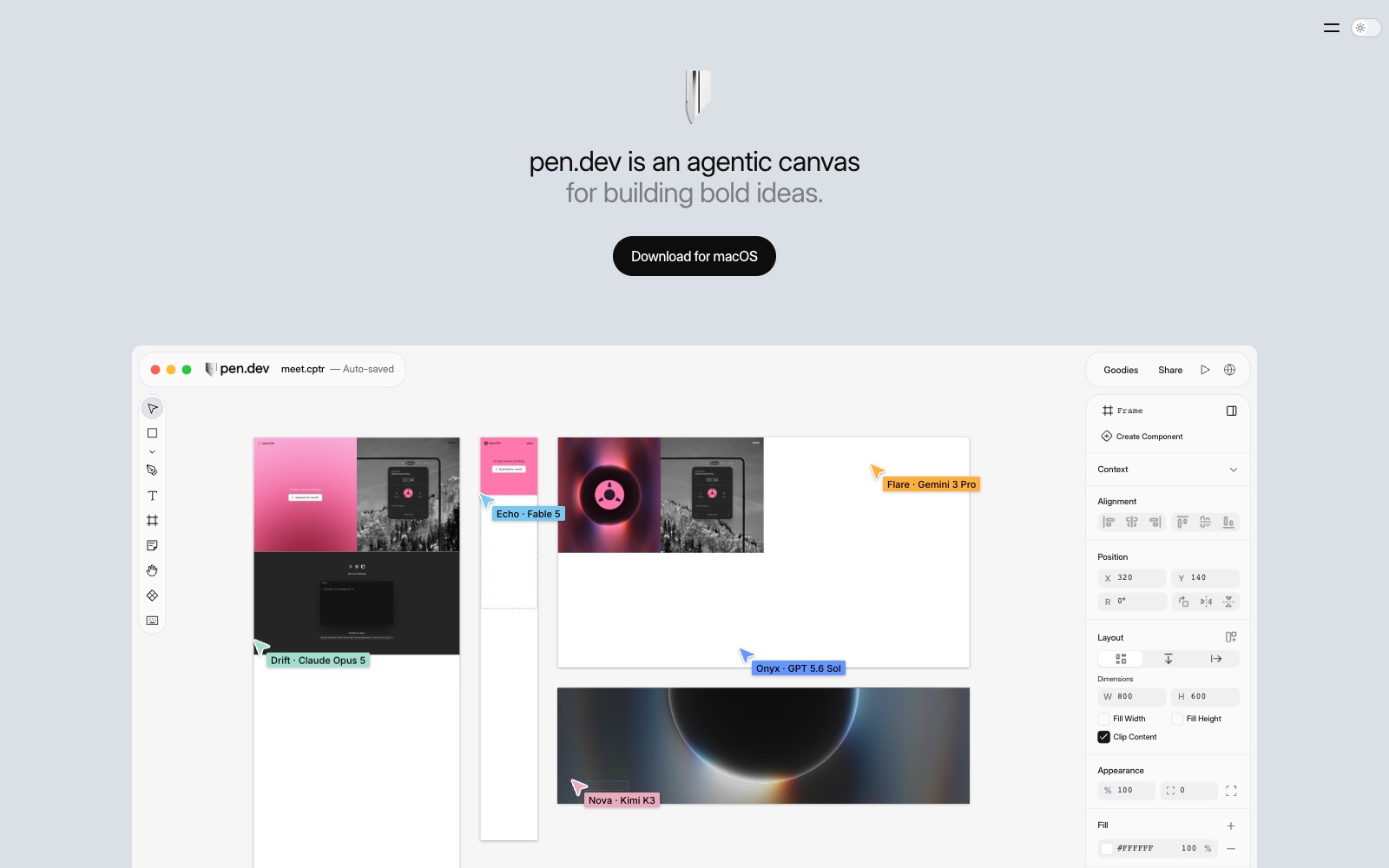
If you pay for Claude Code or Codex already, this row decides your shortlist. Stitch is Gemini only; its mode picker (Thinking with 3 Pro, Redesign on Nano Banana Pro, Fast) swaps Google engines, never vendors. Claude Design runs Claude only, and v0 offers its own v0 Mini, Pro and Max tiers with no key of your own. By contrast, Doop, Paper, Pen and OpenDesign are model-agnostic by design: whatever agent speaks MCP does the work, and Pen even runs up to six agents on different models side by side, Claude next to Gemini next to Kimi. Framer sits in the middle with a model picker (Claude and GPT families) plus the external agent connection. Figma Make generates with Claude Sonnet-class models under a partnership, with no user choice.
What each tool actually generates
Output format decides how much rework follows. Stitch produces static HTML with Tailwind per screen, plus a structured Figma export; the docs recommend letting a separate LLM convert that HTML to React, Flutter or SwiftUI. v0 goes straight to production React on shadcn/ui, and Figma Make builds working prototypes with editable code. Claude Design makes interactive artifacts that export to PPTX, PDF, HTML and Canva. Doop and Paper keep designs as live HTML frames and artboards, Pen stores open-format .pen files next to your code, and OpenDesign writes plain files, from single pages to decks and even HTML-to-MP4 video. Framer outputs a hosted site only; there is no code export.
Image generation
Stitch is strong here: it generates logos and hero graphics natively on the canvas, powered by Google’s image models. Paper has built-in, metered image generation, and v0 generates real images on paid tiers. Figma offers “Make an image” with Gemini image models platform-wide. OpenDesign delegates to whatever image API you connect. Claude Design generates no raster images at all; it draws visuals from code and SVG. Pen has none documented, and Framer relies on marketplace plugins. Doop covers both routes: agents generate images from a prompt on your connected ChatGPT subscription or OpenAI key, and they search licensed stock, 200k+ icons and real brand logos when a photo or mark already exists.
Import features: getting existing work in
| Tool | Figma in | HTML / website in | Screenshots in | GitHub repo in |
|---|---|---|---|---|
| Google Stitch | No (export only) | Via agent skills + API | Yes, sketches too | No |
| Doop | Yes, via Figma MCP bridge | Yes, up to 100 pages | Yes, paste | Yes, app or PAT |
| Claude Design | No | Web capture | Yes | Read-only context |
| OpenDesign | Exports only | Yes, clone flows | Yes | Local files + git |
| v0 | Yes (paid) | Yes | Yes | Yes, two-way |
| Paper | Paste | Paste | Yes | Via your agent |
| Pen | Yes, full file | Yes (desktop) | Yes | Files live in repo |
| Figma Make | Native | URL fetch | Yes | Yes, two-way |
| Framer | Yes, plugin | Yes, extension | Yes | Plugin only |
Two details deserve a callout. First, Stitch cannot import Figma files; the Figma door only swings outward. Second, Doop’s Figma import is an agent bridge rather than a button: one agent connects to both Figma’s MCP and Doop’s MCP, pulls markup, tokens and assets from a Figma node, and rebuilds it as an editable HTML frame, screenshot-diffing against the original. The same bridge works in reverse, pushing Doop frames into Figma. Doop’s GitHub import goes further than file transfer: it extracts your repo’s design system into a pinned style guide and sketches screens that exist only as code.
Design systems and GitHub sync
Stitch’s answer is DESIGN.md, a portable design-system document with token front matter, which its agents read and write. That is genuinely useful, and OpenDesign uses the same convention while shipping ~151 ready design systems. Claude Design builds a design system from your codebase during onboarding, then applies it to everything (our test above shows it doing exactly that). v0 leans on shadcn/ui plus custom registries, Figma Make imports variables from published libraries into Make kits, Pen syncs components and variables through design libraries, Paper does tokens and themes, and Doop pins style guides and design memory to the canvas so every agent inherits them.
On GitHub, the split is clean. v0 and Figma Make offer true two-way sync with branches and pull requests. Pen and OpenDesign put design files in the repo itself, so git is the sync. Doop imports from GitHub (design systems and screens) but does not commit back. Stitch, Claude Design, Paper and Framer have no native GitHub story.
Integrations and automations: the open-ecosystem gap
Most tools here integrate inward: v0 deploys to Vercel and consumes external MCP servers, Framer syncs CMS content and exposes a CMS API, Figma has its plugin platform, OpenDesign ships 277 plugins. What almost none of them offer is scheduled, agent-driven automation of design work itself.
That is where Doop currently stands alone in this list. Every Doop automation is a schedule plus steps, and steps can be data pulls or agent prompts on a shared canvas. The first shipped example is a Meta ads creative report: every Monday it pulls your top ads with their CTR and spend, ranks them on a scoreboard frame with scale, watch or refresh verdicts, and has the agent draft new creative variants next to the winners, as editable frames you can push back to your team. Because Doop is AGPL-licensed and self-hostable, the whole loop runs on an open ecosystem: your models, your server, your data, and any MCP agent can join the same canvas the automation writes to. Stitch offers scripting through its SDK and a loop skill, which is real automation of generation, but it stays inside Google’s closed service and models.
The rest of the field, in one screen each
Doop
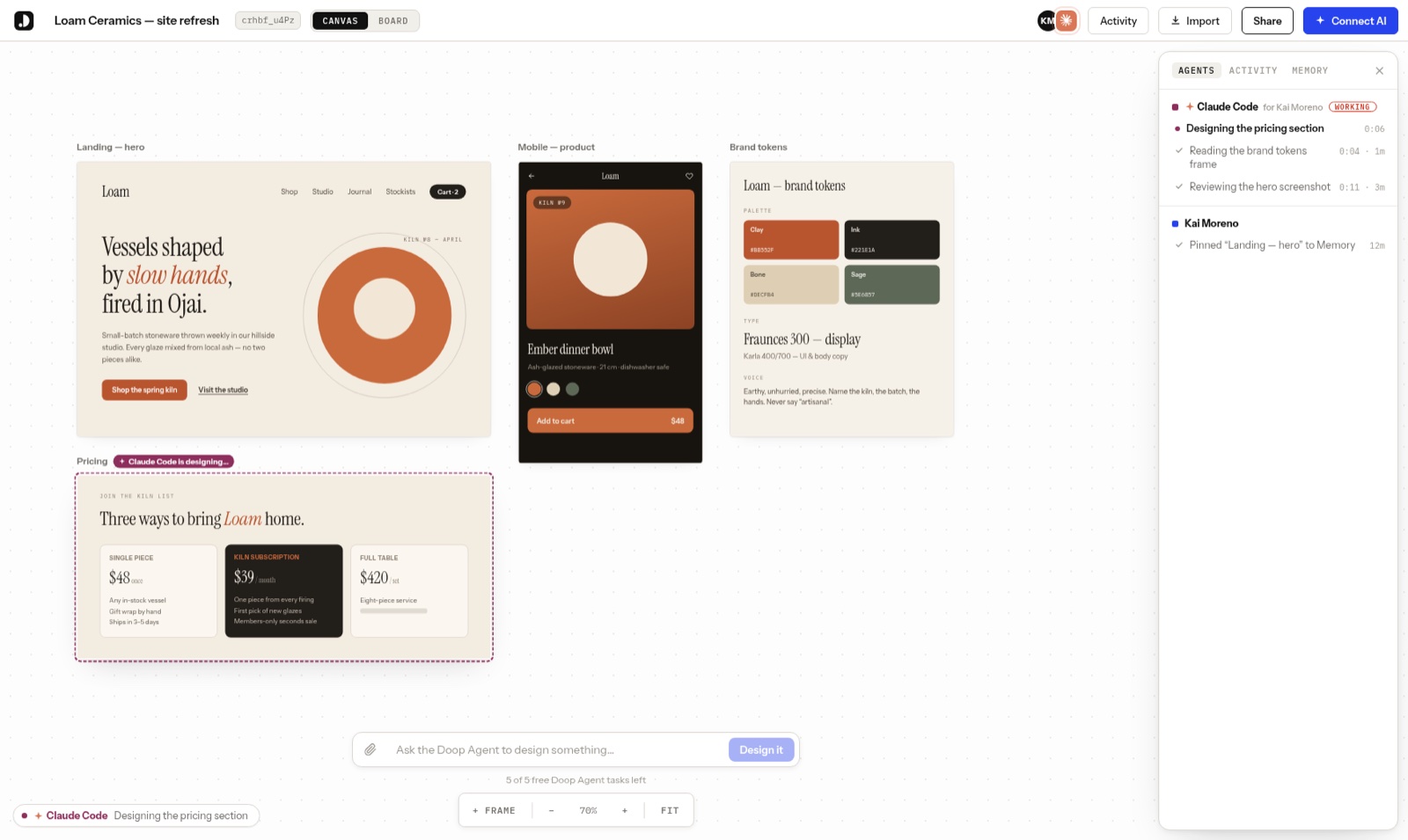
Doop is the multiplayer canvas for your own agents: Claude Code, Codex or any MCP client joins as you, streams frames next to a live cursor, and takes feedback as tasks. It doubles as a complete design MCP for Claude Code, and the source is on GitHub.
OpenDesign
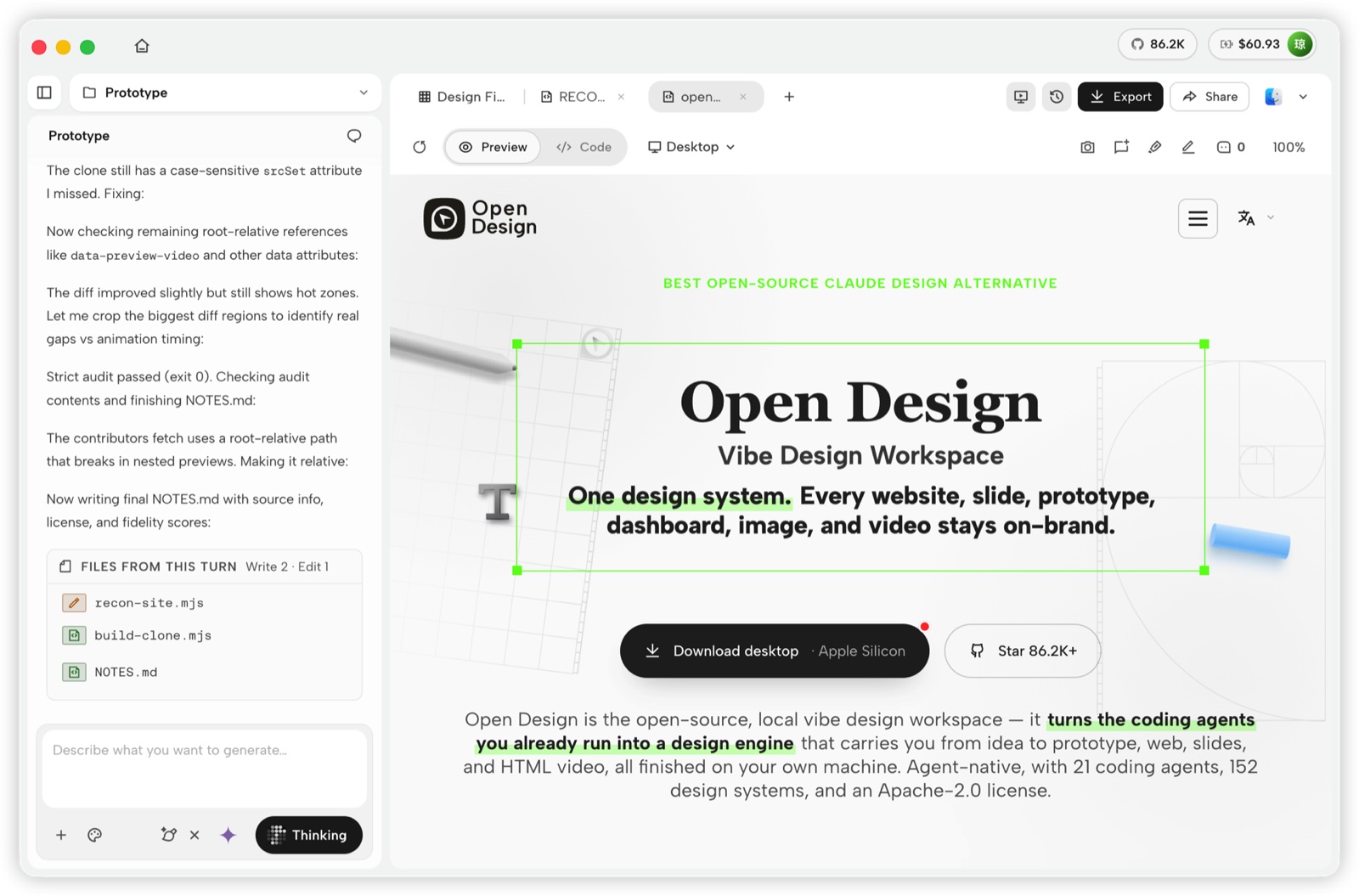
OpenDesign is the Apache-2.0, local-first workspace that turns the coding agents you already run into a design engine, across web, slides, images and video.
Paper
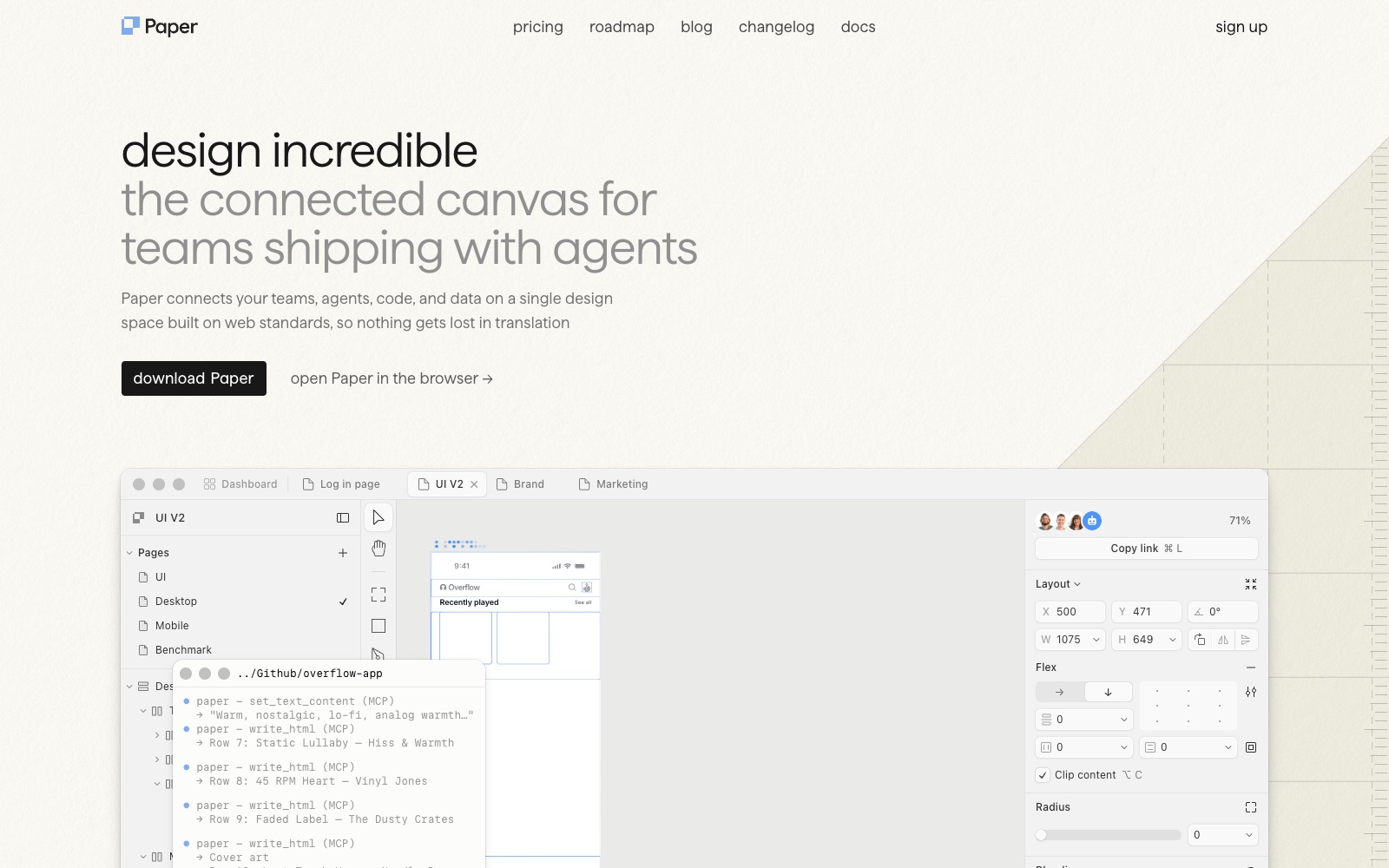
Paper keeps a real design tool in front of you while agents do production work through MCP, and exports JSX with Tailwind. We compared it in depth in our Paper.design alternatives guide.
Pen
Pen, formerly Pencil, commits .pen design files to your repo and lets in-app or external agents edit them, validated against the format’s schema. Design review becomes code review.
Figma Make and the Figma MCP
Figma Make turns prompts and existing designs into working apps inside Figma, and the MCP server now writes native frames and components, which makes Figma the strongest pick when the design system of record must stay put.
Framer
Framer is the pick when the deliverable is a published website rather than a design file: its agent builds pages, edits CMS content and reviews the site, and external agents connect natively. The tradeoff is lock-in, since sites cannot be exported as code.
Why is there no ChatGPT version of this?
People keep searching for a Claude Design equivalent from OpenAI, and it does not exist. OpenAI has never publicly explained the gap. Its observable strategy substitutes three things: ChatGPT Canvas, which is scoped to writing and coding, raster image generation, which produces pictures of UIs rather than editable interfaces, and the Apps in ChatGPT platform, where Canva acts as the designated design layer. Ask ChatGPT itself and you get code you must carry elsewhere, since there is no visual canvas to arrange it on. That platform bet is coherent, but it means the agent-on-canvas workflows above have no first-party OpenAI answer today, which is exactly why Codex users end up on Doop, OpenDesign, Pen or Paper.
Frequently asked questions
Is Google Stitch still free?
Yes. As of September 2026 Google’s official FAQ says Stitch is free with a daily credit limit that resets at midnight UTC. Google does not publish the exact credit amounts, and there is no way to buy more.
Can Claude Code edit designs in Google Stitch?
Only indirectly. Claude Code can call Stitch’s MCP to generate screens, request prompt-based edits and download the results. It cannot modify a Stitch screen’s HTML or CSS itself. For direct agent edits, use Doop, Paper, Pen or OpenDesign.
Which Google Stitch alternatives are open source?
Doop (AGPL-3.0) and OpenDesign (Apache-2.0) are open source and self-hostable. Pen’s file format is open although the app is not, and everything else in this list is closed.
What is the best Stitch alternative if I live in Figma?
Figma Make plus the Figma MCP server. You keep your libraries, agents read real tokens, and the beta write path builds native frames. Stitch can export to Figma, but it cannot read anything back.
Try the open one first
If the point of leaving Stitch is control, start with the tool you can inspect: Doop is free in beta, connects to Claude Code or Codex with one command, and the source is on GitHub if you would rather run it yourself.