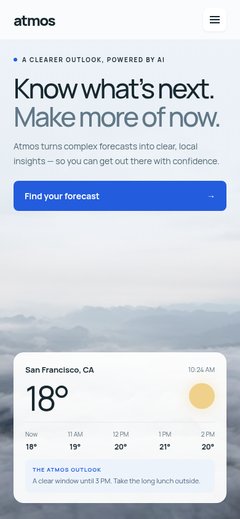
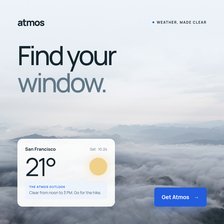
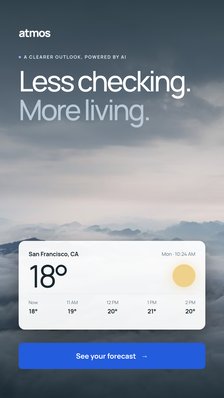
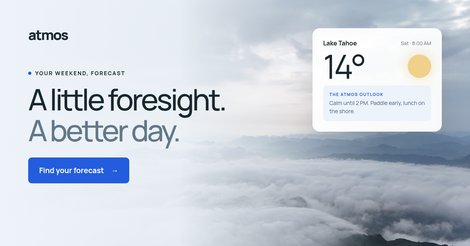
Design with AI agents.

Doop gives you design superpowers. Automate entire design processes and ship more, with taste. Start today and bring your favorite AI agent.

Download for macOS

or open in browser

See what every agent
is working on, live.

Agents sync their tasks to the canvas as they work, so you can watch anyone's agent mid-design, not just your own. Frames stream in character by character, comments turn into tasks, and every decision stays visible to the next agent that joins.

Approve it once.
The rest runs itself.

Mark a frame ready for dev and an automation takes it from there: Doop drafts every ad size, the Copywriter localizes them, Brand Compliance checks the lot, all on the same canvas, as drafts for you to sign off. Or put it on a schedule, and every Monday last week’s ads come back with fresh variants.

See automations

Bring your own
agent.

Doop is an MCP server. Point Claude Code, Cursor, Codex or any agent that speaks MCP at your canvas and it designs as you, on your account and your subscription. No lock-in, no middleman.

Works with
Claude Code Claude Codex ChatGPT Gemini CLI Kimi Code Qwen Code DeepSeek Harness Mistral Vibe Perplexity Cursor GitHub Copilot Windsurf Ollama

Built for designing
out loud.

One system for every screen, agents that run while you're away, and work that never stays locked inside.

Reuse components.

Set up buttons, inputs and cards once, then compose every screen from them. Agents use the system instead of redrawing it, and a change to the main updates every instance.

Build automations.

Schedule agents to run without you. A feature image for every new blog post, fresh OG images each Monday, a visual review on every pull request. Set it once, watch it land on the canvas.

Open source.

Doop is open source. Read the code, run it on your own infrastructure, or send a pull request. The canvas you design on is one you can own.

github.com/kgoedecke/doop AGPL-3.0 · star it, fork it, self-host it

Export to anywhere.

Every frame is a file and a URL. PNG, PDF, HTML, Canva, Figma, or a live image link that re-renders when the design changes, so what you shared is never stale.

The canvas,
on your iPhone.

Doop for iPhone and iPad is a native app with the same canvas, the same agents and the same live cursors. Approve a frame from your pocket while the agent keeps streaming on your desk.

Download on the App Store
Nordtur booking app 9:41
Ask your agent to design… Add a booking confirmation screen
@ Opus

Try it. Drag the canvas to look around.

Motion that
actually runs.

A frame is a real web page, so it moves like one. A globe drawn with d3, glass rendered in Three.js, anything you can write in CSS and JavaScript: ask an agent for it and it plays live on the canvas for everyone in the room.

Drag to spin the globe

Every sky,
everywhere.

Live forecasts for 180,000 places,
from Lofoten to Lagos.

Find your citySee the map
Code
CopyExport
import { geoOrthographic, geoPath,
  geoGraticule10 } from 'd3-geo'

const globe = geoOrthographic()
  .scale(480).clipAngle(90)
const path = geoPath(globe, ctx)

function tick() {
  globe.rotate([spin += .1, -28])
  ctx.clearRect(0, 0, w, h)
  line(geoGraticule10(), .2)
  for (const p of landDots) {
    const f = facing(p)
    if (f > 0) dot(globe(p), f)
  }
  line(land, .9)
  cities.forEach(pulse)
  requestAnimationFrame(tick)
}

function line(shape, alpha) {
  ctx.beginPath(); path(shape)
  ctx.globalAlpha = alpha
  ctx.stroke()
}
last edit by Claude

Image generation,
built in.

Ask for a background, an illustration, a product render, a mascot, and Doop draws it straight into the frame, in your palette. GPT Image 2 draws today; the next generation of image models lands in the same canvas.

Import from
anywhere.

Paste a URL, drop an HTML export, pull in a Figma file, a Canva design or a PSD, or connect a GitHub repo. It lands on the canvas as an editable snapshot. The original stays untouched, and agents design the next version right beside it.

Wall of
love.

What people building with Doop are saying on X. Thank you, all of you. Tag @DoopDesign and show us what you made.

Aniket Pawar @alaymanguy

Moved the entire @shadcnlabs brand system to @DoopDesign. Loving the multi-agent workflows, human-in-the-loop, and memory features. All completely free too. Great stuff by @kgoedecke 🙌

Matt @matt__makes

love that agents build the components themselves in Doop 🚀

Kyle Avrett @kyleavrett

I have Doop deployed on my Dokploy and use it all the time to have my agent turn my Excallidraw sketches into mockups! It's an amazing product!

Uzair @timekeepur

Loving it and using it for everything

Mazi Juls @AAjulibe

i love doop. it really cleared out my design bottleneck. … was super helpful. thanks for the app :)

Thomas Karatzas @karatzas_thomas

New Landing Page just dropped. Also designed with doop.design. Check it out: useterse.ai

zeb @zebassembly

Switched to doop.design running on my home server, very nice

Ncontsi @ncontsi

Pen -> Doop 🔥 Shout out, digging Doop so far. Thanks.

oluwasefunmi. @adebola_io

First time using doop.design, oh wow. So this is what you all are enjoying

Mat @matdegouville

Why am I only hearing about doop.design now? It looks so promising

dhru @bydhruvil

vibe coders you'll love this doop.design

Questions,
answered.

Anything else? Ask in Discord, or open an issue on GitHub. The whole thing is open source.

Which AI agents work with Doop?

Any agent that speaks MCP. Claude Code, ChatGPT, Codex, Cursor, Gemini, Kimi, Qwen, DeepSeek and more connect in one step: copy the MCP URL, approve once in the browser, and the agent gets its own cursor on your canvas.

Is there a Claude Design for ChatGPT?

Doop is the closest thing. It gives ChatGPT, Codex, Gemini, Kimi and Qwen the same connect-an-agent-and-watch-it-design workflow that Claude Design gives Claude, on one shared canvas, with your own subscription, and open source.

Is Doop a Paper Design alternative?

Yes. Like Paper, Doop is an infinite canvas where AI agents design real HTML. On top of that it is live multiplayer, works with any MCP agent instead of one, imports websites, Figma, Canva and PSD files, opens GitHub pull requests, and is open source you can self-host for free.

How does Doop compare to Google Stitch, Figma Make or v0?

Those tools generate screens from a prompt inside their own app. Doop is a shared canvas that your own agent works on through MCP: it edits the HTML directly, streams the result live, remembers your taste and opens pull requests, using whichever model you already pay for.

Is Doop a design MCP for Claude Code?

Yes. Add https://doop.design/mcp to Claude Code, approve once in the browser, and Claude Code gets tools to create frames, stream HTML, screenshot its own work, import sites and read the canvas memory. Codex, Cursor and every other MCP client get the same tools.

Is Doop free and open source?

Yes. Doop is open source under AGPL-3.0 on GitHub, and the hosted Free plan includes every feature at $0. Self-host it as a single Docker container plus Postgres, or use doop.design.

Do I need my own API key?

No. Your agent keeps running wherever it already runs, on whatever subscription you already pay for. Bring your own key only if you want image generation or the built-in Doop agent on your own account. Nothing is billed through Doop.

How does a design get into my codebase?

Connect a GitHub repo and Doop opens a pull request with the frame as real HTML and CSS, in your project's conventions. Or export any frame as PNG, PDF, HTML, Canva or Figma, or embed its live image URL, which re-renders when the design changes.

Start designing
with agents.